Sabrinas Organizing

menu icon
go to homepage
  • Home Organization
  • Healthy Recipes
  • DIY Home Projects
  • Browse Gift Ideas
  • Donate Stuff 2026
  • Recycling Events 2026
  • Solution Consultations
  • Virtual Organizing
  • Disclosure Policy and Cookies
search icon
Homepage link
  • Home Organization
  • Healthy Recipes
  • DIY Home Projects
  • Browse Gift Ideas
  • Donate Stuff 2026
  • Recycling Events 2026
  • Solution Consultations
  • Virtual Organizing
  • Disclosure Policy and Cookies
×
Home » Home Organization » Kitchen

How to Make Trash Can Labels

Modified: Mar 20, 2026 Published: Mar 26, 2026 by Sabrina Quairoli Visit our "Disclosure Policy and Cookies" page in the menu for details. This post may contain affiliate links. Leave a Comment

Spread the Love

Trash cans (affiliate) are an essential part of a home and office. It helps keep your home clutter-free of items you do not want or need. There are at least two types of trash cans (affiliate) you can have in your home or office - a recycling bin (affiliate) and a trash can (affiliate). While recycling bins (affiliate) are divided into plastic, glass, and paper, we usually have one trash can (affiliate). This week, we will help you dress up those important trash can (affiliate) with trash can (affiliate) labels (affiliate). Follow along and see how cute my trash cans (affiliate) are and how I made them. It's super easy to do when you have the right trash can (affiliate).

Jump to:
  • Key Takeaways
  • Where should I store a recycling bin in my home?
  • How long does it take to make these labels?
  • Supplies needed to make Trash Can Labels
  • Instructions on how to make Trash Can Labels:

Key Takeaways

  • Trash Can (affiliate) Labels (affiliate) help organize waste in your home or office, with options for trash cans (affiliate) and recycling bins (affiliate).
  • Consider placing recycling bins (affiliate) in accessible areas such as kitchens or garages for convenience.
  • Creating Trash Can Labels (affiliate) takes about 1 hour and requires specific supplies and tools (affiliate), such as Cricut sheets.
  • Follow step-by-step instructions to design and apply Trash Can Labels (affiliate) to make your bins look appealing.
  • Keep trash organized to encourage proper disposal and maintain a clutter-free space.

Where should I store a recycling bin in my home?

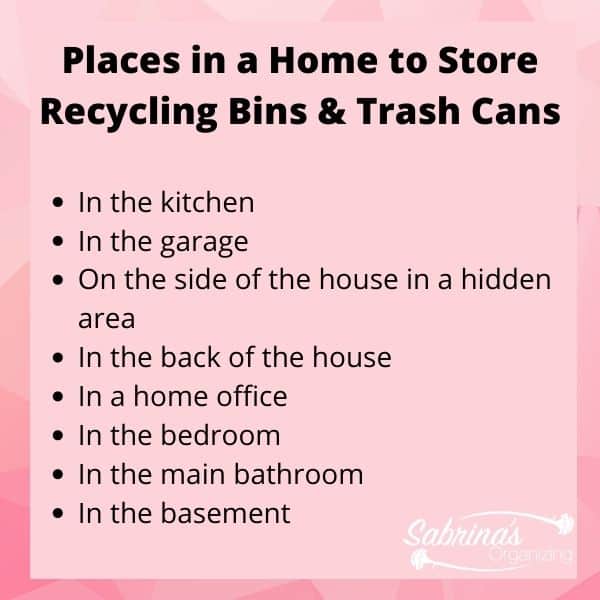
There are several places to hold your recycling bin (affiliate). You can easily set up one or more bins to organize your recycled items until you are ready to dispose of them. But where to place these bins is critical to staying organized. Below are some places where you can store your recycling bin (affiliate) for easy use.

In the kitchen
In the garage (affiliate)
On the side of the house in a hidden area
In the back of the house
In a home office
In the bedroom
In the main bathroom
In the basement

Places in a home to store recycling bins and trash cans

Wherever you decide to store your recycling bin (affiliate), make it easily accessible to every member of your family. It should also be close to an often-used door. If you feel there are a few places in your home where you want to increase recycling, you can add a small, labeled recycling bin (affiliate) next to the trash can. And, don't forget to label (affiliate) the bin if it is intended for recycling only.

Now, let's get to the labeling of the recycling and trash cans (affiliate).

How long does it take to make these labels?

It only took about 1 hour to make and adhere them to the trash can.

Supplies needed to make Trash Can Labels

Flat white trash can - I bought these from Ikea.
Cricut Black Vinyl sheet (affiliate link from Amazon (affiliate))
Cricut Blue Sage Vinyl sheet (affiliate link on Amazon (affiliate))

Tools needed for this trash can labels DIY project

Cricut Machine Mat and Cricut Explore Air 2 (affiliate link on Cricut website)
Transfer tape (affiliate link on Cricut website)
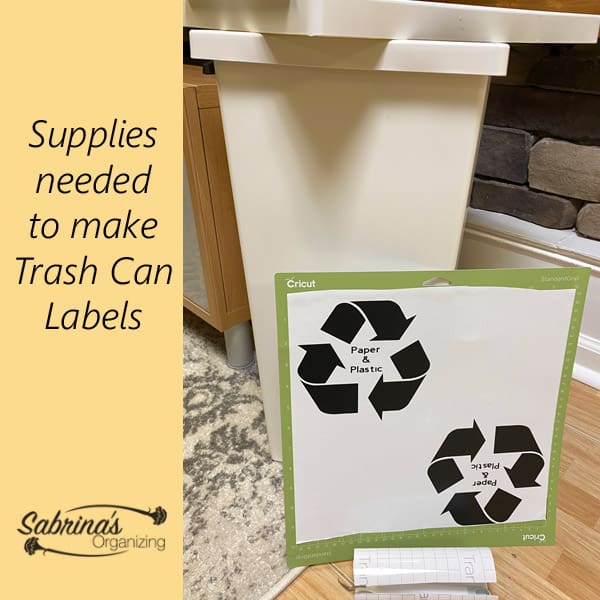
Supplies needed to make trash can labels

Instructions on how to make Trash Can Labels:

Time needed: 1 hour

  • Then, create the vinyl labels (affiliate) by using your Cricut Machine.

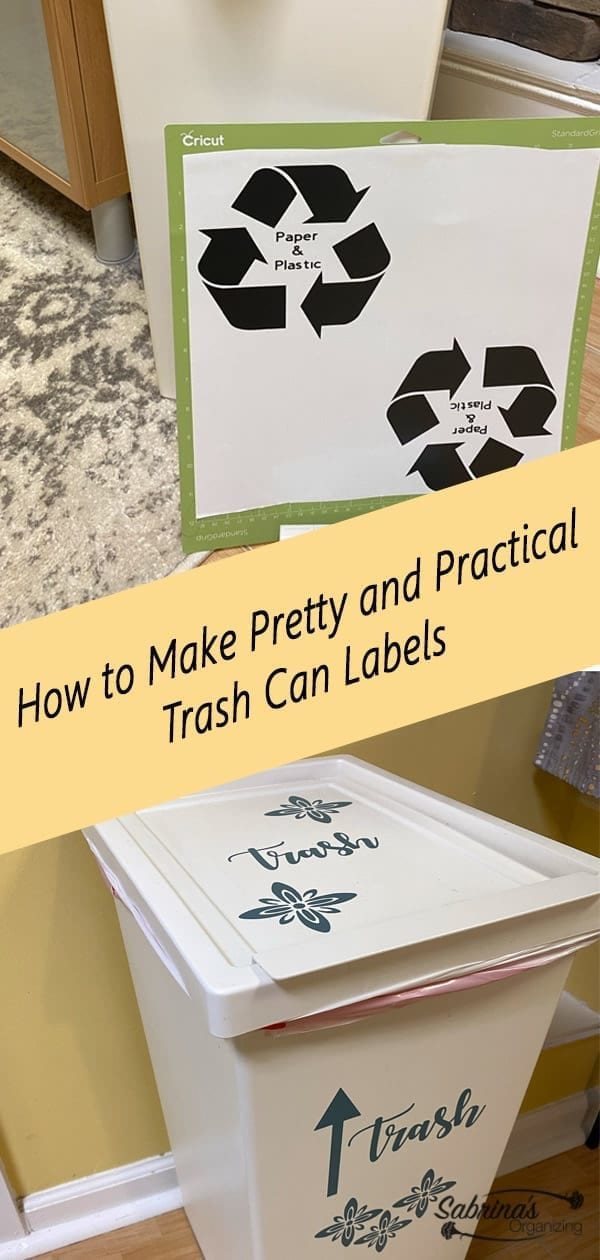
    I used the Cricut Black (affiliate) Vinyl sheet and Cricut Blue Sage Vinyl sheet and cut out the labels using the templates I created below. Feel free to download them for your Cricut Machine.

    Get a copy of my free Trash Can Label (affiliate): Cricut Recycling Paper and Plastic Cricut Project. Get a copy of my free Trash Can Label (affiliate): Cricut Trash Can Label Project.
    Get a copy of my free Trash Can Label (affiliate) to dress up your plan trash can: Cricut Flower project.

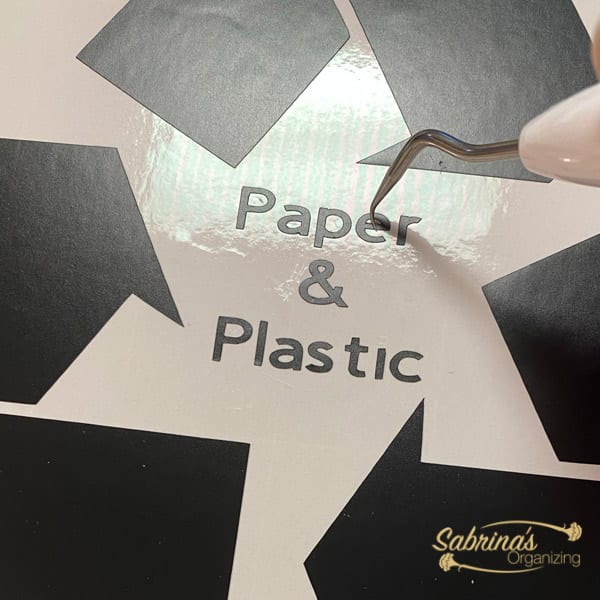
  • Weed the vinyl and removed anything you do not want to transfer.

    Now it is time to remove the excess vinyl you are not using. Print out the trash labels on the cricut machine
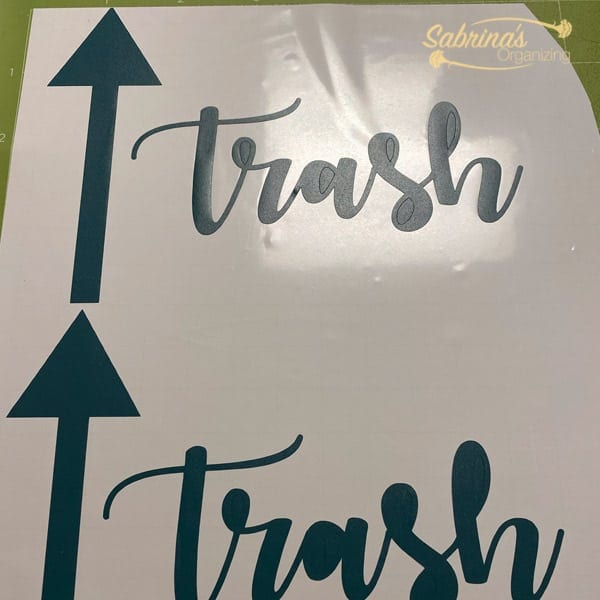
  • Weed out the excess vinyl.

    With the Cricut weeding tool, remove the inside of letters. Weed the letters after it is cut
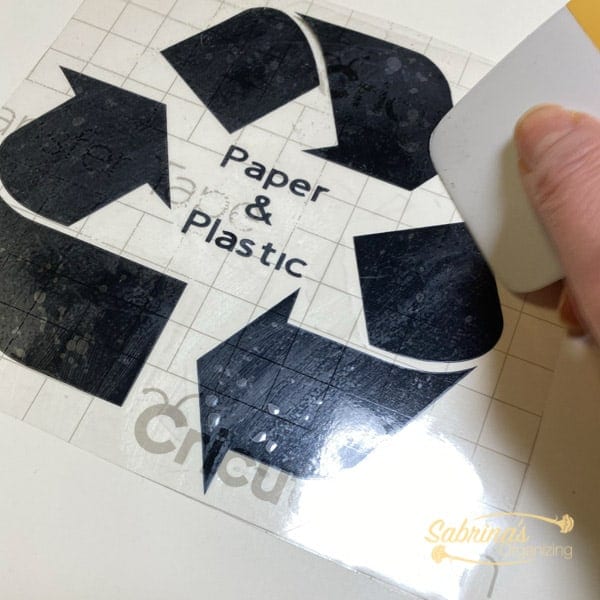
  • Transfer to the Transfer Tape

    Now, it is time to press the transfer sticky side down over the vinyl. Press around the letters and design so it makes contact everywhere. This will help transfer the vinyl to the transfer tape. Peel off.add transfer paper rub hard to get the design to transfer to the sticky side
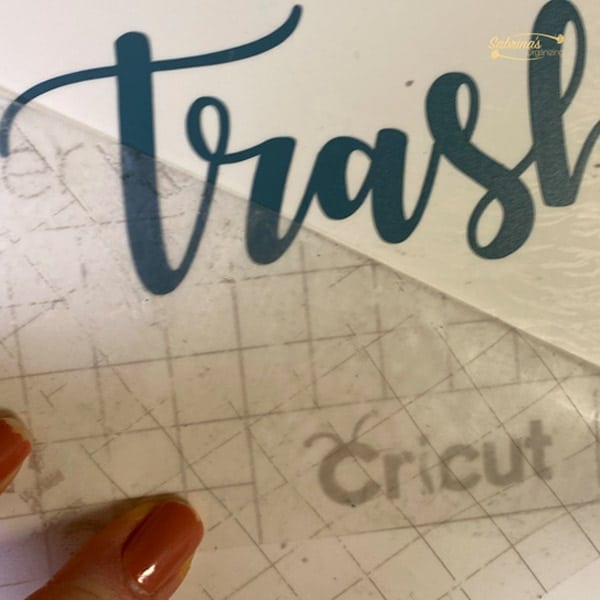
  • Transfer to the top and side of the trash can.

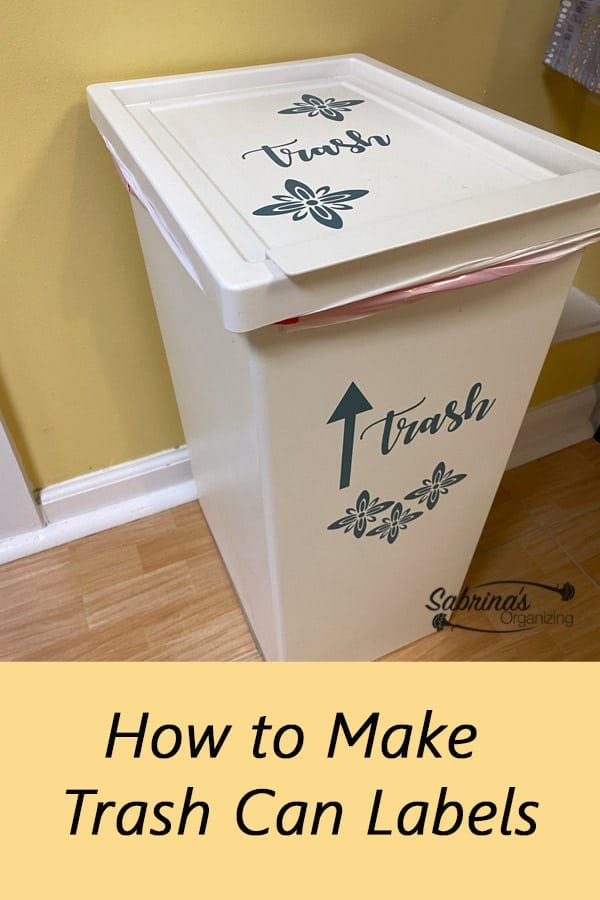
    Now add the transferred vinyl to the top and front sides of the trash can. See my two images below. Keep in mind that you can place them wherever you want. Press down after you slide off the transfer tape. If the letters are raised, press them down as you remove the transfer tape.Transfer the letters on the transfer paper to the trash can
  • Reveal

    And that is it! What do you think of my pretty and practical trash can and recycling bin (affiliate)? Would you try this at home?

    Below is the recycling bin. We can bulk recycle so I labeled it Paper and Plastic.
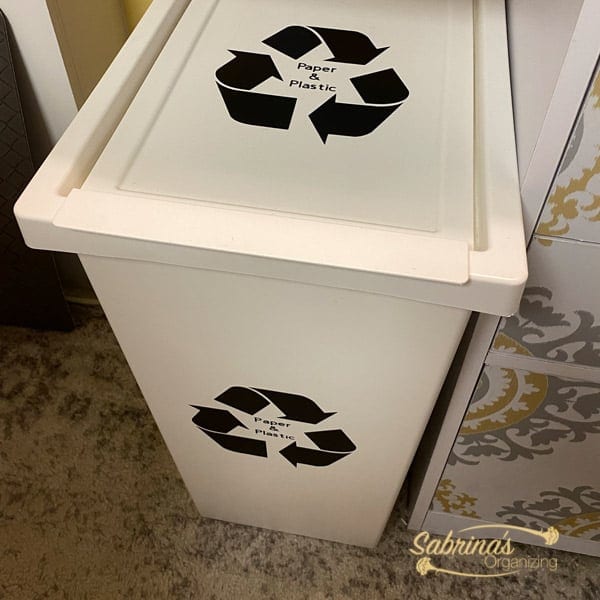
    Recycling bin with labels

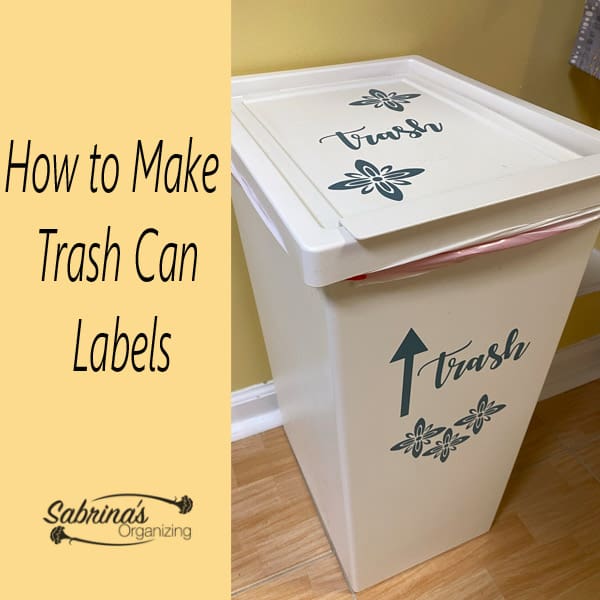
    I wanted the trash can to look pretty, so I added flowers.
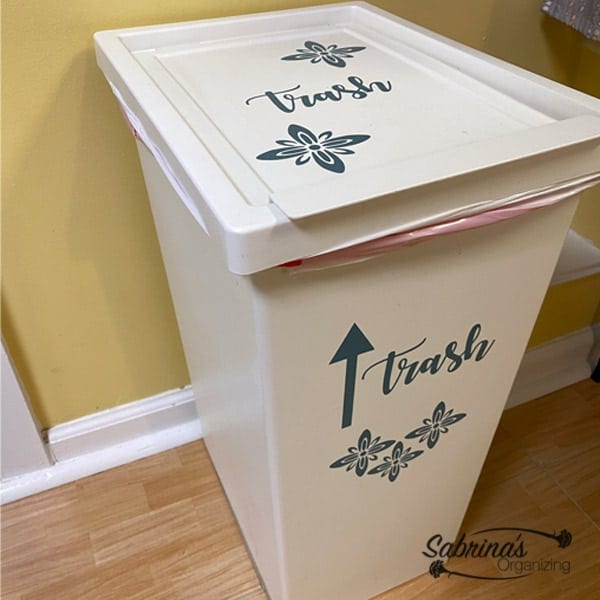
    Trash bin with flowers and arrow

    Keeping your trash organized will help you stay on top of the trash in your home. Remember: when you don't see a trash can, you probably will not throw things away.
    • candle jar marker holder
      Upcycling Candle Jar into a Cute Marker Holder
    • How to organize standing desk cables square image
      How to Organize Standing Desk Cables
    • The finished mason jar with lid - bottom right shows the before image - title at the top left - square image
      Update Small Glass Jar with Mod Podge and Tissue Paper {DIY Project}
    • title Cute Glass Tile on Tin Can DIY Project at the top left corner - bottom left corner has the before tin can image - center has the can with glass tiles on it with markers and pens in it. - square image
      Cute Glass Tile on Tin Can DIY Project
    How to make trash can labels featured image
    How to make trash can labels - square image
    How to make trash can labels - long image
    (Visited 1,172 times, 5 visits today)

    Spread the Love

    More Kitchen Organization Tips

    • Crafty Over the Door Hanging Organizers to Maximize your Kitchen Space square image
      Crafty Over the Door Hanging Organizers to Maximize your Kitchen Space
    • cookie plate with overlay of title of article and my recipe grocery list image
      How to Organize Your Holiday Cookie Baking Tradition
    • The Ultimate Guide to Organizing Herbs and Spices - square image
      The Ultimate Guide To Organizing Herbs and Spices
    • Support our troops logo with title of post at the top center - orange background - square image
      Giving Back to The Troops with Expired Coupons

    About Sabrina Quairoli

    I love sharing my passion for organizing life and home. I hope you get inspired when visiting my home organizing tips, quick weeknight recipes, party planning ideas, and DIY organizing projects. Visit the About Me page to read my story.

    Leave a Reply Cancel reply

    Your email address will not be published. Required fields are marked *

    This site uses Akismet to reduce spam. Learn how your comment data is processed.

    Sabrina owner of Sabrina's Organizing and Admin Services

    Hey, I'm Sabrina!

    Thanks for stopping by and checking out my blog, where you can find Home Organizing, Quick Weeknight Recipes, and DIY Craft Home Organizing Projects. Feel free to browse around to get motivated to improve your home life!

    Learn About My Story
    Sabrina's Organizing Supporting individuals since 1997 BANNER 25 year banner
    Sabrina Morresi Quairoli Received the NAPO Certificate of Study for Essentials of Productivity - digital badge

    Recent Posts

    • Delicious Dairy Free Mac and Beans Recipe to enjoy tonight
      How to Make Dairy Free Mac and Beans recipe
    • Organizing College Student Self Care with an Academic Planner - square image
      Organizing College Student Self Care with an Academic Planner
    • Bed and title of post at the top right corner. -square image
      Bedroom Upgrades That Actually Improve Sleep Quality
    • title of the post in the center with dollar signs above it. and a monthly calendar in the background - square image
      Best Time to Buy Organizing Products to Save Money

    Popular Posts

    • Yummy Curry Chicken Salad Recipe
    • Places To Donate Jewelry You Do Not Want
    • The Ultimate Cruise Packing List Everyone Needs
    • 43 Positive Mantra Sayings to Keep You on the…
    • This Year's Recycling and Shredder Events

    Planners You And Your Family Will Love!

    Buy Yours Today!

    For Students, planning time and homework

    Shows the image of all the different color planners - 8 in total

    Order Out of Chaos® Academic Planners - Student Academic Planners

    Buy Now →

    For 8x11" Planner Lovers, and Moms

    planner with colorful tabs and open book square image

    Simplified by Emily Ley for AT-A-GLANCE®

    Buy Now →

    (affiliate)

    Click on this badge to learn what this badge means on NAPO.net

    NAPO Registered & Insured Badge for Sabrina's Organizing & Admin Services valid through 2026
    Get your free copy of our Home Management binder ebook
    Get our Holiday Season Planner to help you save money and time with free checklists and Printables to make this season amazing

    Amazon Disclosure


    Sabrina's Organizing blog is a participant in the Amazon Associates Program, an affiliate advertising program designed to provide a means for sites to earn advertising fees by advertising and linking to Amazon.com.

    Footer

    Visit our "Disclosure Policy and Cookies" for details. Affiliate links appear on this page from Google Adsense, Amazon, Order Out of Chaos, Impact affiliate members, Rakuten affiliate members, and Awin affiliate members.

    Services

    Banner ad for Sabrina's Organizing Solution meeting services - has a check and says What do you get for this service?
Face-to-face with an Expert; 1-2 hour meeting duration
Plus, a personalized Solution Report with customized room-by-room plans in 24 Hours
Let's Talk to Get a Fresh Perspective of Your Home!
I want a fresh perspective
This fee is for a 1–3-bedroom home or a small single-room office. 
For larger homes, please get in touch with me to discuss your specific situation. 
-horizontal banner ad
    banner ad that says Feeling overwhelmed and at a loss on how to finish the goal quickly and easily? Need someone to help you be accountable to complete your goal? This service is for you! What's your goal? Organizing Accountability for one(1) room or small area Important Smaller Organizing Projects - See examples on service page. Staying Consistently Accountable to Tasks Ready to Get Your Goals Done? Let's Talk Today. -horizontal banner ad

    My Cookbook for Sale

    banner ad with my information about my ebook - Do you love to Grill but don't like to make a Meal Plan? This digital cookbook shares 14 recipes (Entrée, Side, & Dessert) to choose from, allowing you to mix and match to create your own 3-course dinner your family will love!

    ↑ back to top

    About

    • About Me
    • Privacy Policy
    • Disclosure Policy and Cookies
    • Google Analytics Privacy Statement and Opt-Out Option
    Sabrina's Organizing Supporting individuals since 1997 BANNER 25 year banner

    Certifications and Associations

    • 2025 NAPO Business Stamp of Approval
    Sabrina Morresi-Quairoli received Essentials of Productivity Certificate of Study from NAPO.

    Contact

    • Contact
    • Solution Consultations
    • Virtual Organizing Consults
    • Write for Us
    Productivity and Organizing Blog Carnival Ultimate Star Blogger Member
    Sabrina's Organizing,  Sabrina's Admin Services, Organizing on a Dime, and Recipes to Chew On blogs by Sabrina Morresi-Quairoli is licensed under CC BY-NC-ND 4.0

    As an Amazon Associate, I earn from qualifying purchases.

    Copyright © 2011-2026. Sabrina's Organizing Blog content by Sabrina Morresi-Quairoli is licensed. Based on work at Sabrina’s Organizing blog, social media content, and newsletters, permissions beyond the scope of this license may be available upon request.

    Manage Consent
    To provide the best experiences, we use technologies like cookies to store and/or access device information. Consenting to these technologies will allow us to process data such as browsing behavior or unique IDs on this site. Not consenting or withdrawing consent, may adversely affect certain features and functions.
    Functional Always active
    The technical storage or access is strictly necessary for the legitimate purpose of enabling the use of a specific service explicitly requested by the subscriber or user, or for the sole purpose of carrying out the transmission of a communication over an electronic communications network.
    Preferences
    The technical storage or access is necessary for the legitimate purpose of storing preferences that are not requested by the subscriber or user.
    Statistics
    The technical storage or access that is used exclusively for statistical purposes. The technical storage or access that is used exclusively for anonymous statistical purposes. Without a subpoena, voluntary compliance on the part of your Internet Service Provider, or additional records from a third party, information stored or retrieved for this purpose alone cannot usually be used to identify you.
    Marketing
    The technical storage or access is required to create user profiles to send advertising, or to track the user on a website or across several websites for similar marketing purposes.
    • Manage options
    • Manage services
    • Manage {vendor_count} vendors
    • Read more about these purposes
    View preferences
    • {title}
    • {title}
    • {title}
    Manage Consent
    To provide the best experiences, we use technologies like cookies to store and/or access device information. Consenting to these technologies will allow us to process data such as browsing behavior or unique IDs on this site. Not consenting or withdrawing consent, may adversely affect certain features and functions.
    Functional Always active
    The technical storage or access is strictly necessary for the legitimate purpose of enabling the use of a specific service explicitly requested by the subscriber or user, or for the sole purpose of carrying out the transmission of a communication over an electronic communications network.
    Preferences
    The technical storage or access is necessary for the legitimate purpose of storing preferences that are not requested by the subscriber or user.
    Statistics
    The technical storage or access that is used exclusively for statistical purposes. The technical storage or access that is used exclusively for anonymous statistical purposes. Without a subpoena, voluntary compliance on the part of your Internet Service Provider, or additional records from a third party, information stored or retrieved for this purpose alone cannot usually be used to identify you.
    Marketing
    The technical storage or access is required to create user profiles to send advertising, or to track the user on a website or across several websites for similar marketing purposes.
    • Manage options
    • Manage services
    • Manage {vendor_count} vendors
    • Read more about these purposes
    View preferences
    • {title}
    • {title}
    • {title}