Gardening at home is advantageous. Having fresh produce and herbs placed in your garden all summer long is super delicious, cost-effective, and helps reduce grocery costs, which clearly everyone can use right now. To keep your garden producing all season long, there is one critical thing you need to do: water your garden each day. Today, I am going to share a super smart raised bed water system that you can set up in your garden right now.
Jump to:
- Key Takeaways
- What inspired me to do this Smart Raised Bed Water Systems?
- What supplies did I use to make this Smart Raised Bed Water System?
- How much did it cost to make this Smart Raised Bed Water System?
- How long did it take to make the Smart Raised Bed Water System?
- How did I make this Smart Raised Bed Water Systems?
- My schedule:
- What does the Orbit B-Hyve App Look Like?
- What should you do during a power outage?
- What other program options are there in the B-hyve app?
- Best time for watering for us.
- My Favorite! Buy Yours Today!
- The Big Reveal
- Frequently Asked Questions
- Cost & Setup FAQs
- Using the Orbit B-hyve App FAQs
- Watering Schedule & Weather FAQs
- System Compatibility & Maintenance FAQs
Key Takeaways
- Gardening at home saves costs and provides fresh produce, but daily watering is crucial.
- The Smart Raised Bed Water System uses an automatic timer and sprinkler to efficiently water the garden.
- Setting up the system requires basic supplies and costs about $140, taking about an hour to install.
- The Orbit B-hyve app allows easy scheduling and management of watering times and adjusts for weather conditions.
- The garden thrived all season, producing herbs and vegetables much longer than usual with this watering system.
What inspired me to do this Smart Raised Bed Water Systems?
This year, I was going to be traveling a lot this spring and summer, so I needed something to water my raised bed garden. I usually water the garden every day using a pitcher and my rainwater barrel. But, with all the traveling I was going to be doing from May through August, I needed some help. So, I went on a hunt for a raised-bed water system. Here is what I found and how I set it up to create a robust garden for over 4 months.
FYI, I live in Pennsylvania, so our growing season usually runs from May through August.
What supplies did I use to make this Smart Raised Bed Water System?
These supplies are needed to set up the water system in my raised bed garden. Supplies used:
- A faucet near the garden
- Orbit 90205Z B-hyve Gen 2 Smart Hose Watering Timer
- 50 feet heavy duty hose
- Heavy Duty 2 Way Hose Splitter (Premium Brass for Superior Durability), Y Adapter, Rust-Resistant Finish, Zero Leaks
- 1 GARDENA (84-BZMX) Up to 2300 Sq Ft, ZoomMaxx Adjustable Oscillating Sprinkler on Weighted Base
Please note these are affiliate links through Amazon (affiliate), and at no additional cost to you, I will earn an affiliate commission if you decide to make a purchase.
How much did it cost to make this Smart Raised Bed Water System?
For all the items above, it costs around $ 140. I bought most of these items on Amazon (affiliate).
How long did it take to make the Smart Raised Bed Water System?
Setting up this water sprinkler took about 1 hour.
How did I make this Smart Raised Bed Water Systems?
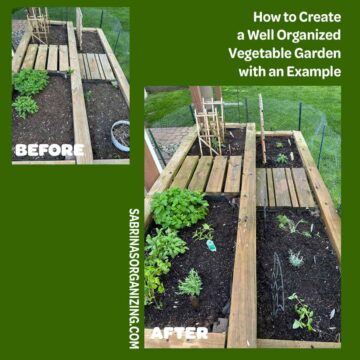
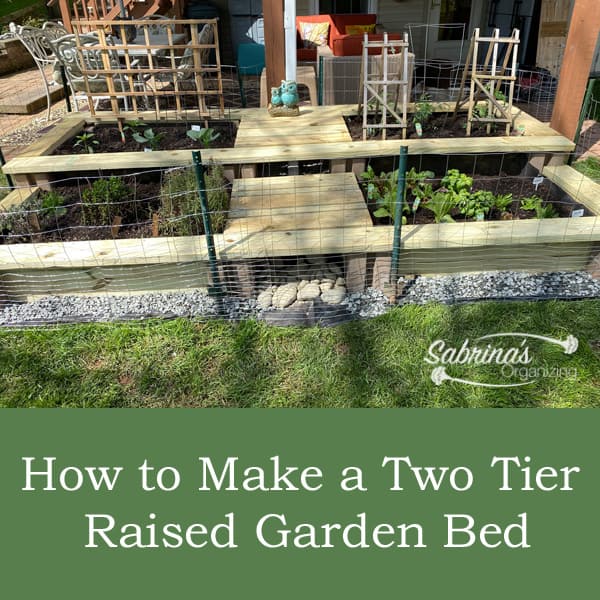
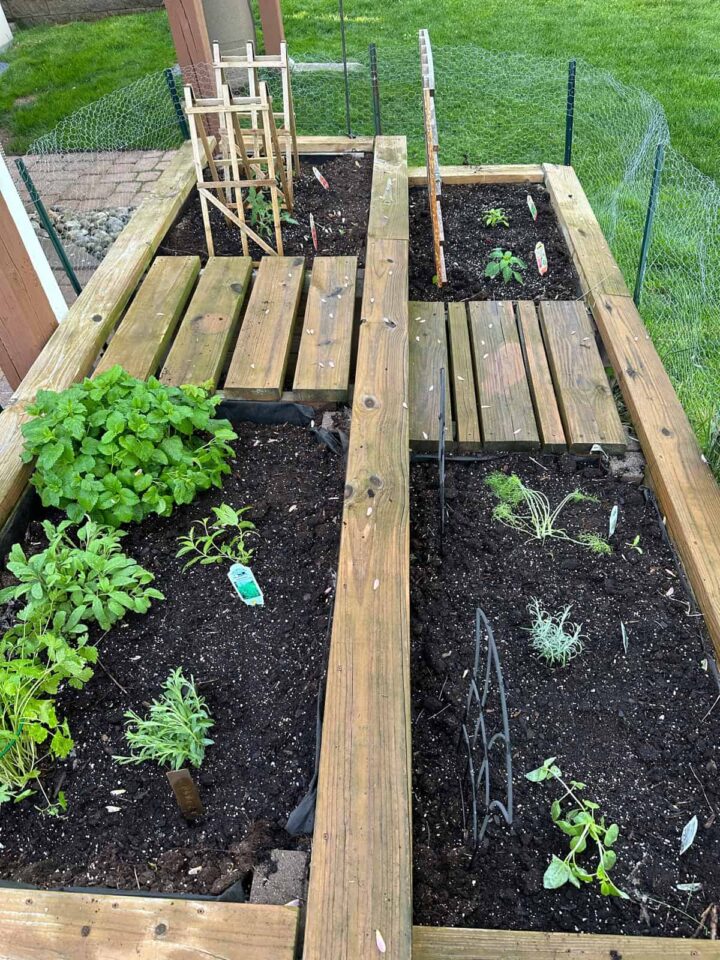
First, I organized my garden bed. This is what my garden looked like in May. The A WELL ORGANIZED VEGETABLE RAISED BED GARDEN WITH EXAMPLE is the recent post that shares how I organized this garden.
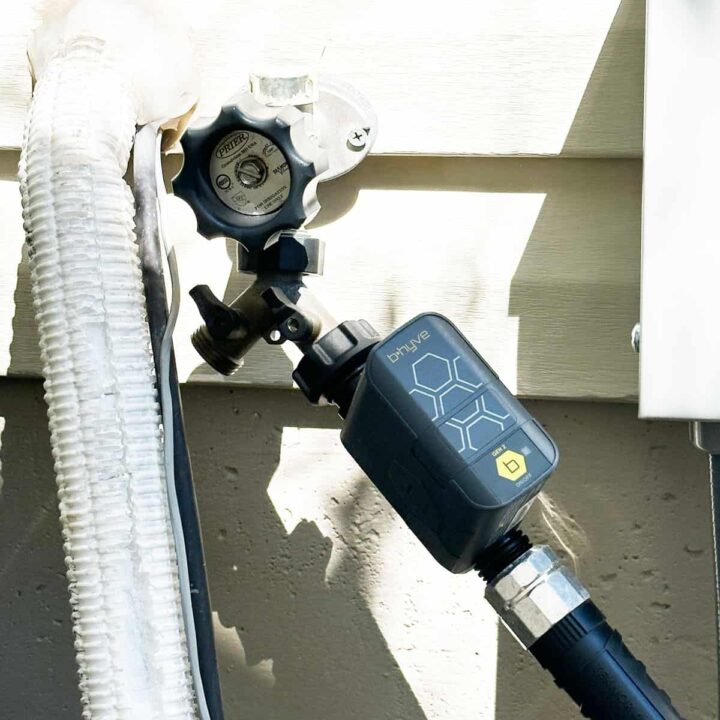
Then I set up the splitter and screwed it into the outdoor faucet (turn the water off when attaching it), so I could keep my other front-of-the-house sprinkler accessible.
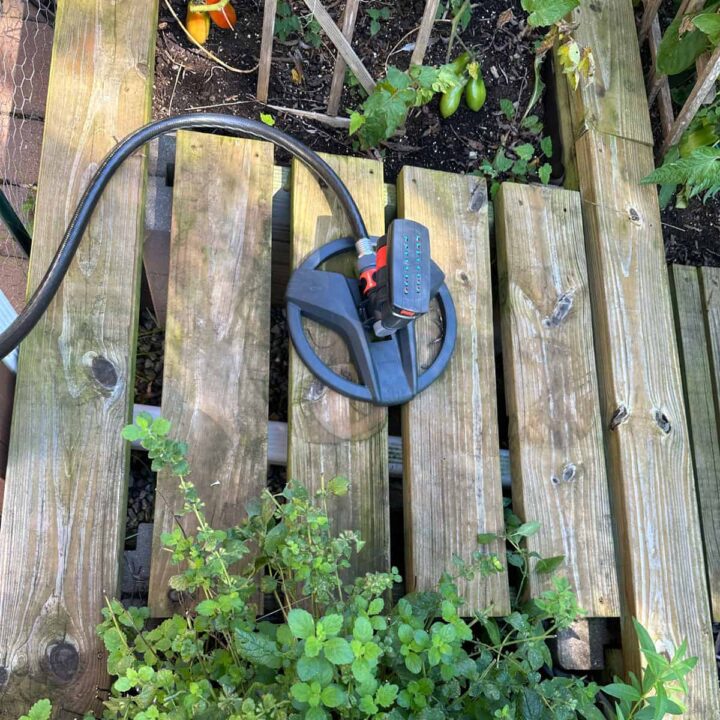
I added the sprinkler in a location that maximizes spray and watering for all my plants. This direction fans out to the far end of my garden. But doesn't go very far forward or backward. We set it this way with this sprinkler.
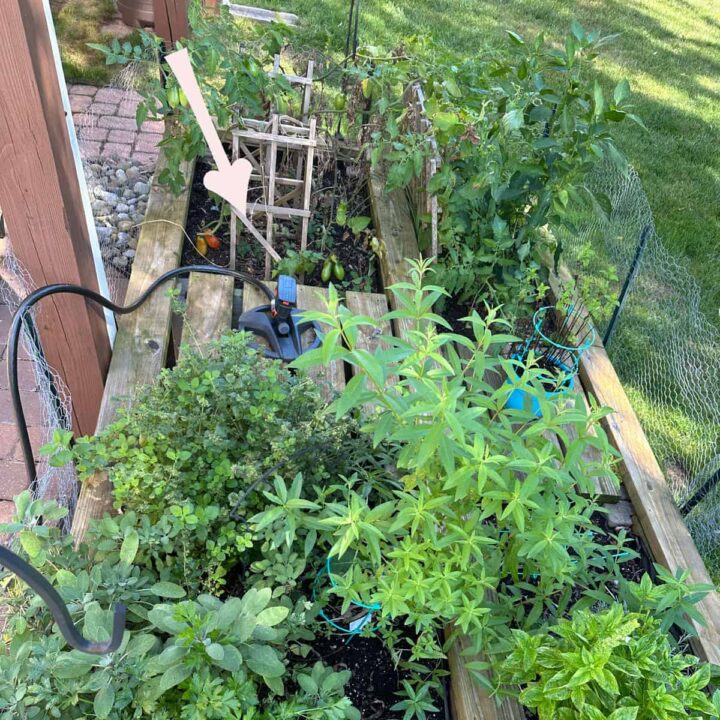
Now, add the batteries to the Orbit unit. Then, plug in the wifi connector (refer to the instructions in the packaging). Now I screwed Orbit 90205Z B-hyve Gen 2 Smart Hose Watering Timer into the splitter.
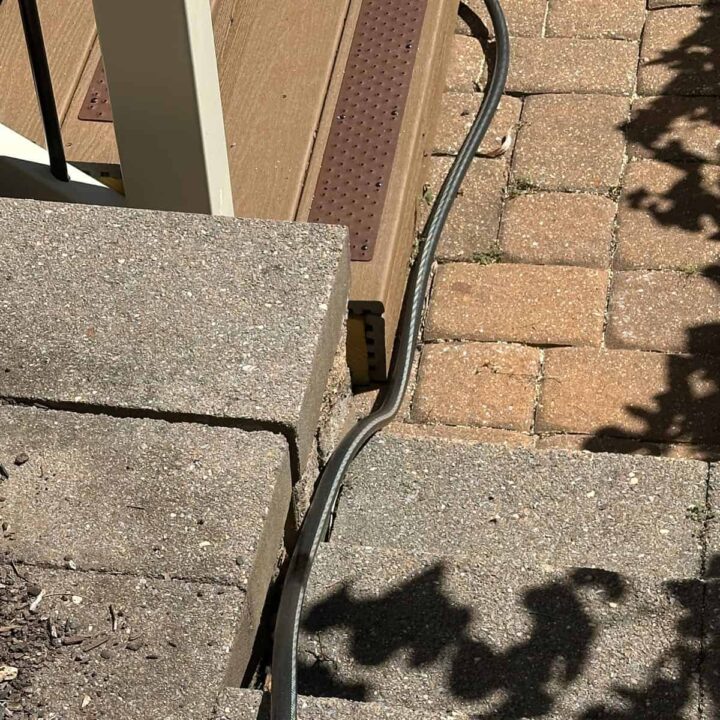
Next, add the hose to the Orbit B-hyve Smart Hose Watering timer. And, I added the Oscillator Sprinkler to the middle of my garden wooden area. I pressed the hose up against the steps and away from the center to minimize falls and trips. We don't spend much time on the patio this summer, so the hose lies up against the steps to the deck all summer, which did not burn or destroy the grass.
To allow the use of the faucet, I turned off the other part and can add a hose if I need it for different watering needs.
I then set up the app on the phone. Here are the links for the app: IPhone Orbit B-hyve or Android Orbit B-hyve. It depends on your mobile device. No subscription fee is required at the time of writing.
Next, I tested it to ensure the water covers the entire garden using the app's water manually feature. Follow the instructions for setting up the scheduled program.
Check out these videos about how to set up the Smart Watering Programs with B-hyve from their YouTube page.
My schedule:
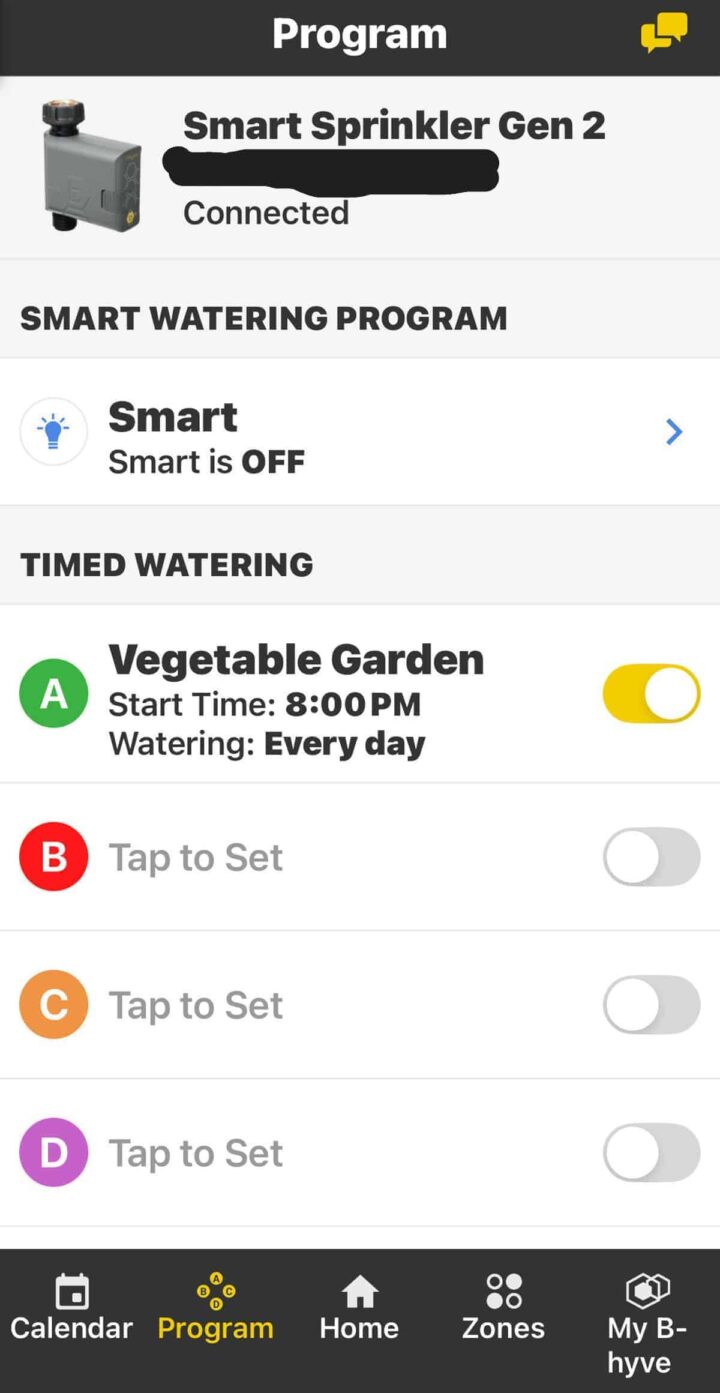
I set up the vegetable garden for 5 minutes each day at 8 PM. Setting up the app was easy, thanks to the instructions included in the device's box.
What does the Orbit B-Hyve App Look Like?
I'm glad you asked. Since I set it up, it will look a little different, but I wanted to share with you the other sections to help you understand the app. FYI - both Android and iOS apps are very similar. These images are from an iPhone.
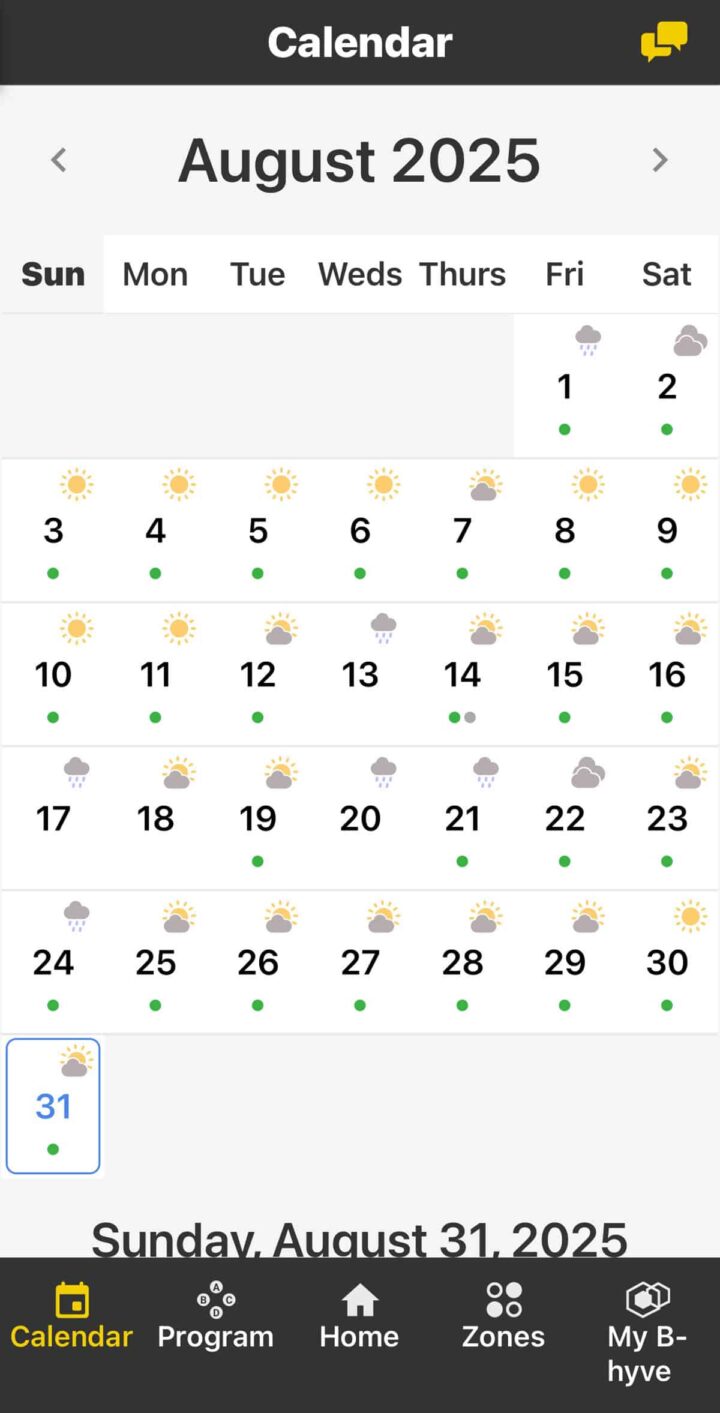
This is the calendar section, located at the bottom left of the app as the first tab. The green dots on the calendar section indicate the days when the sprinkler will run at 8 PM for 5 minutes.
The second tab shows the program you may have set up. I have three setups, but you can only see one at a time.
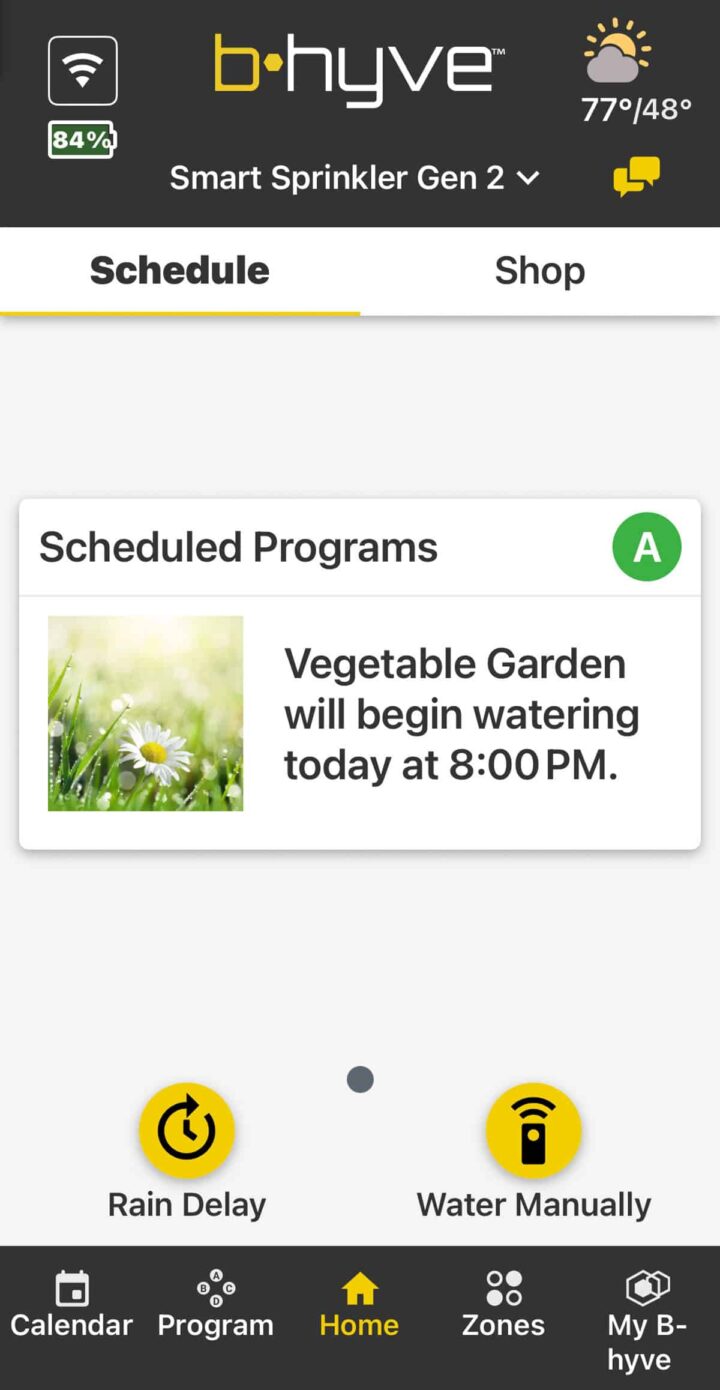
The Home section looks like this when you have set up your scheduled program(s). This is where you can manually add water or press for a rain delay if the app doesn't recognize that it is raining.
The next section is the Zones. I only have one zone, but this system also works with drip systems and sprinkler systems, allowing you to assign multiple zones.
There is a Smart watering feature that gets into much more complex settings. You can read more about the innovative watering products on their site here.
The last section displays your account details, including the devices you have set up, device groups, watering history, notifications, help, support, feedback, and alerts.
What should you do during a power outage?
After the power is restored, reconnect your device if you have a drip system panel. The battery-operated ones, like this one, may need to be reconnected if the battery dies. We have both in our homes and had to reset the drip system panel, but not the hose watering timer one below.
What other program options are there in the B-hyve app?
There are other options, such as smart watering, which involves asking you a series of questions to help determine your area and watering schedule. I found it too complicated for my garden watering needs, but it was neat to try.
Best time for watering for us.
What is great about the app is that it tracks the weather in your area and lets you know if you will be having rain, so you can skip that day (rain delay).
My Favorite! Buy Yours Today!

Orbit 90205Z B-hyve Gen 2 Smart Hose Watering Timer
Buy Now →(affiliate)
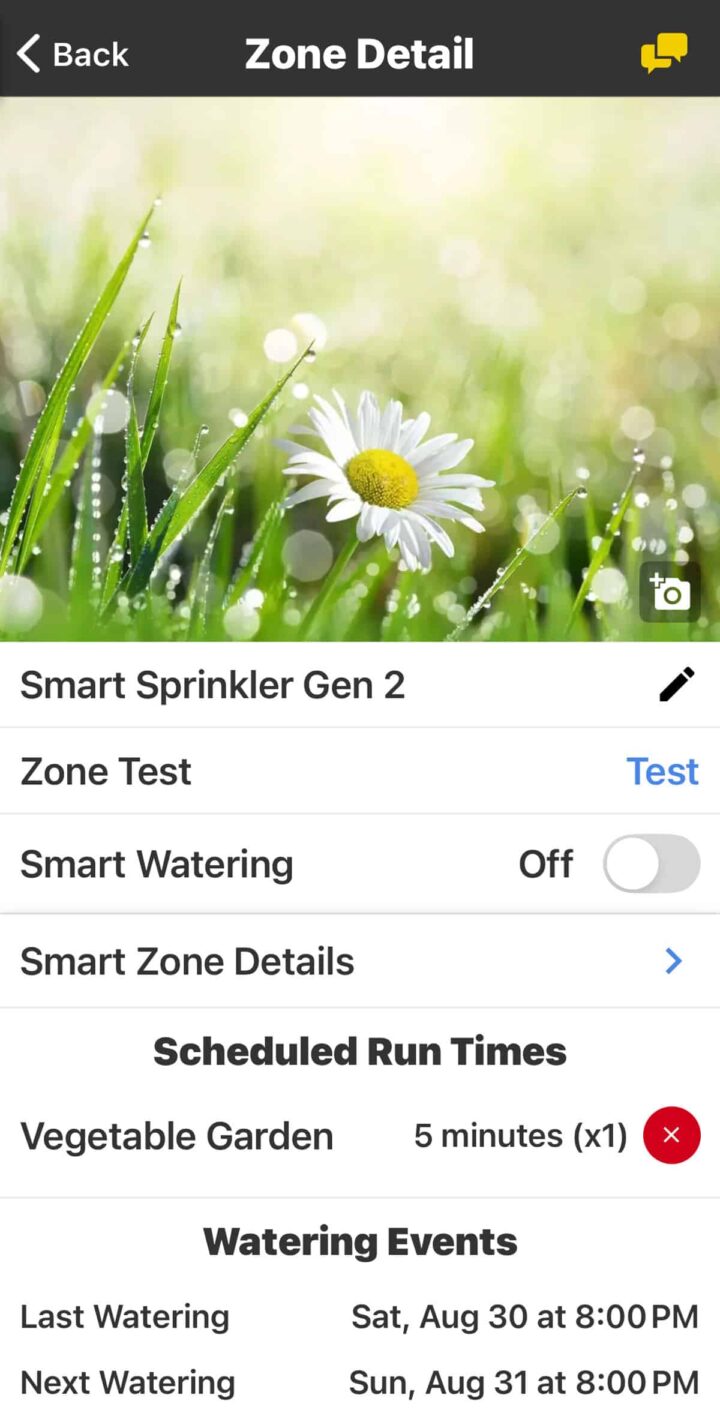
After setting up the schedule, you can easily see the settings in the Zone Detail section.
The Big Reveal
This is what the garden looked like at the end of the season this year. I had so many herbs, tomatoes, peppers, and other things that lasted at least a month longer than they usually do. It will be nice to be able to try more water-demanding vegetables in the future years.
I hope this post helps you decide whether to set one of these smart sprinkler timers. I will definitely be using this next year.
Frequently Asked Questions
And, if you need answers to additional questions, please visit the sections below.
Cost & Setup FAQs
The total cost of all needed supplies is around $140, with most items available on Amazon.
Installation takes about one hour from start to finish, making it a manageable weekend project.
No special plumbing skills are required. The system screws directly onto your existing outdoor faucet using a Y-adapter splitter, so you can continue using the faucet for other watering needs at the same time.
Using the Orbit B-hyve App FAQs
As of writing this post, there is no subscription fee required. The app is available for both iPhone and Android devices at no additional cost.
Yes! The app includes a manual watering feature, which is also useful for testing your setup to confirm the sprinkler covers your entire garden before committing to a schedule.
The app includes a Smart Watering feature that asks a series of questions to customize your watering schedule based on your specific area and garden needs. You can also view your watering history, set up notifications and alerts, and manage multiple devices from one account.
Watering Schedule & Weather FAQs
For a vegetable and herb garden in Pennsylvania, watering for 5 minutes each day at 8 PM works well throughout the growing season from May through August. Your ideal schedule may vary based on your location, climate, and the types of plants you're growing.
The Orbit B-hyve app tracks local weather and notifies you of upcoming rain so you can set a rain delay and skip that watering cycle, preventing overwatering.
Evening watering at 8 PM works well, as it allows water to soak deeply into the soil overnight without excessive evaporation from the midday sun.
System Compatibility & Maintenance FAQs
Yes! The Orbit B-hyve system is compatible with drip systems and sprinkler systems and allows you to assign multiple watering zones, giving you flexibility as your garden grows.
For battery-operated timers like the Orbit B-hyve hose watering timer, you may need to reconnect the device if the battery dies. Drip system panels typically require resetting after power is restored.
When pressed up against steps or along the edge of a deck, a garden hose can rest on grass throughout the season without burning or damaging it.