
DVDs have been making a comeback in recent years, so I figured it was time to revisit my older post on how to organize DVDs on a budget for a small home. Below, I show how I organized my DVDs, which I still have, and how we kept them from getting lost after we got rid of the cases and covers. Follow along and check out a cheap way to organize lots of DVDs.
Jump to:
- Key Takeaways
- Current DVD Binder System
- Cost for organizing DVDs in a binder.
- DVD Storage Binders
- How long did it take to organize these DVDs in binders?
- How to organize your DVDs in DVD binders?
- How to organize these DVDs in even a smaller space.
- Supplies used for organizing these DVDs in a small home.
- Use Paper DVD sleeves.
- Make labels for each movie sleeve
- Use ABC labels on the extra CD/DVD sleeves
- Create a placeholder card.
- The result!
- DVD Acrylic Storage Bins
- How much did it cost to organize these DVDs in the acrylic bin in 2026?
- Updated after image with acrylic bin
- Additional ways to organize DVDs in small spaces.
- FAQ when organizing DVDs in small spaces
- Do You Have Home Movies to Organize Too?
Key Takeaways
- DVDs are making a comeback; hence, it's time to revisit organizing DVDs on a budget.
- Using DVD binders (affiliate) can get expensive and may not be suitable for larger collections.
- A new budget-friendly method involves using paper DVD sleeves and a placeholder system for borrowed discs.
- Track borrowed DVDs with bright orange (affiliate) index cards to maintain organization.
- Consider creative solutions like using cabinet doors or going digital with a media server for limited space.
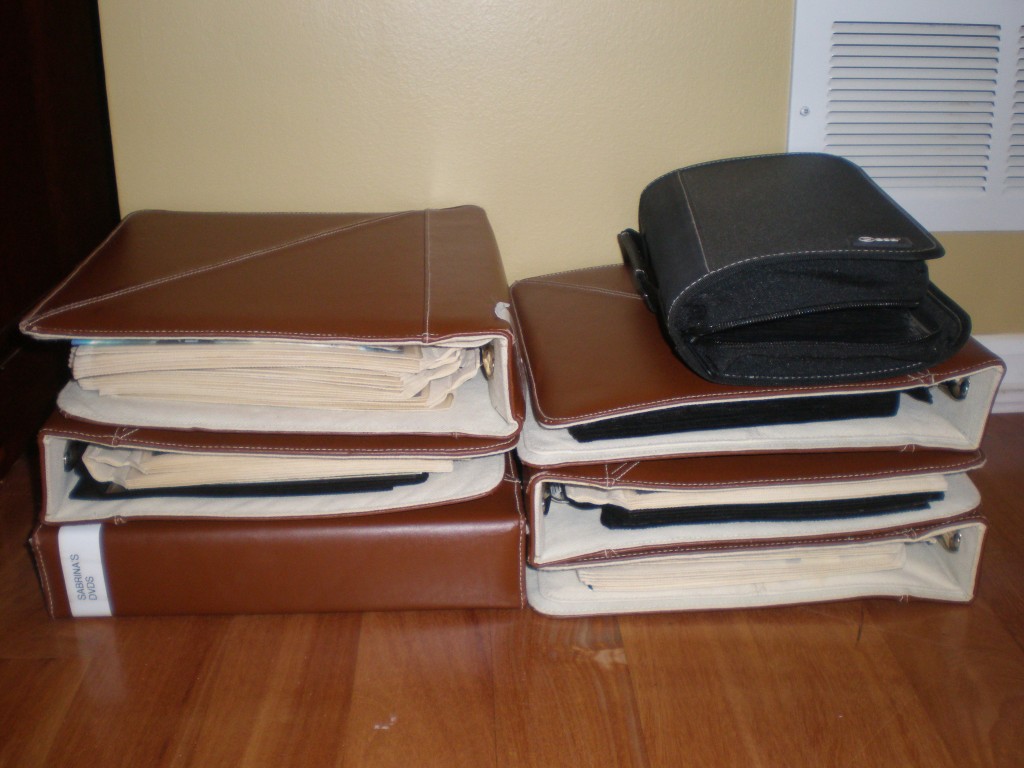
In the past, I used to organize my DVDs in DVD binders (affiliate). While that was a great idea, over the years, they filled up. So, when I couldn't find the DVD binders (affiliate) any longer, I decided I needed a system that would work without taking up so much space. The image below shows how we used to organize DVDs in our home.
Then, we decided to organize the DVDs in an even smaller space. I purchased these items from the office supplies store and found the bins at Target. Check out both DVD organizing systems to decide which is the best option for a small space.
Current DVD Binder System
Cost for organizing DVDs in a binder.
It can get pretty expensive to organize DVDs in binders (affiliate), especially if you have several. For a family of four, it will cost you $80.00 if everyone has their own DVD binder (affiliate).
DVD binders (affiliate) are easy to find now because people are using them again. Feel free to purchase this one from Amazon (affiliate). It holds 400 DVDs.
DVD Storage Binders
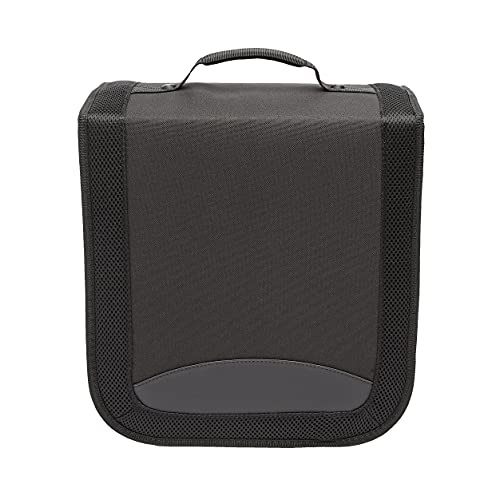
DVD/CD Storage Binder with Handle, 400-Capacity, Portable,Black
Buy Now →(affiliate)
How long did it take to organize these DVDs in binders?
It took about 4 hours to remove all the cases and sleeves, label (affiliate) the sleeves, and organize the movies by family member. And, even find the DVDs if they were missing.
How to organize your DVDs in DVD binders?
Below are instructions on how we used to organize our DVDs in DVD binders (affiliate).
Have each family member have their own DVD binder.
These are my DVD binders (affiliate) for my family's DVD collection. Each family member had their DVD binder (affiliate) containing their beloved movies. They could place them in order or by genre if they wanted. They could have labeled the section with Avery sticky tabs (affiliate), but they chose not to.
Since the kids would often pull items from their own rooms, we placed them in their rooms so the other child wouldn't have to hunt for their DVDs.
Issues with this DVD organizing system
I developed this system years ago, and while this system worked for some time, the issues were:
- The children are a lot older now, and their movie interests are pretty much the same as ours.
- The DVD binders (affiliate) were full, and we needed to add more, which were expensive and hard to find.
- We wanted to find movies by name and not by the person who owned them.
This system worked well for younger kids, who could take the DVDs with them in the car, and for kids of different ages, whose interests varied.
But now the system needed to be changed. And, the kids have the same movie interests as we do. Here is another way I organized my DVDs to fit in a smaller space.
How to organize these DVDs in even a smaller space.
We then combined all our DVDs into a different system that took up even less space. The reason this DVD organizing system works is:
Easy return process: When the borrowed DVD is returned, you can see exactly where it needs to go because the orange (affiliate) index card holds its spot. Just swap the disc back in and pull the orange (affiliate) index card out.
Visual at-a-glance tracking: The orange (affiliate) index card sticks out against the white paper sleeves and alphabetical tabs (affiliate), so you can quickly see how many movies are currently on loan.
Keeps the system intact: Without a placeholder, it's tempting to push the other sleeves together and close the gap. Then, when the movie comes back, you have to re-sort it. The orange (affiliate) index card prevents that problem entirely.
Budget-friendly: A pack of orange (affiliate) index cards, Avery Tabs (affiliate), an open-top DVD bins, and some Dollar Store (affiliate) markers are all you need. It costs almost nothing to set up.
Here is how I made it.
Supplies used for organizing these DVDs in a small home.
Below is a list of the supplies I used for this update.
- DVDs
- Avery return address labels
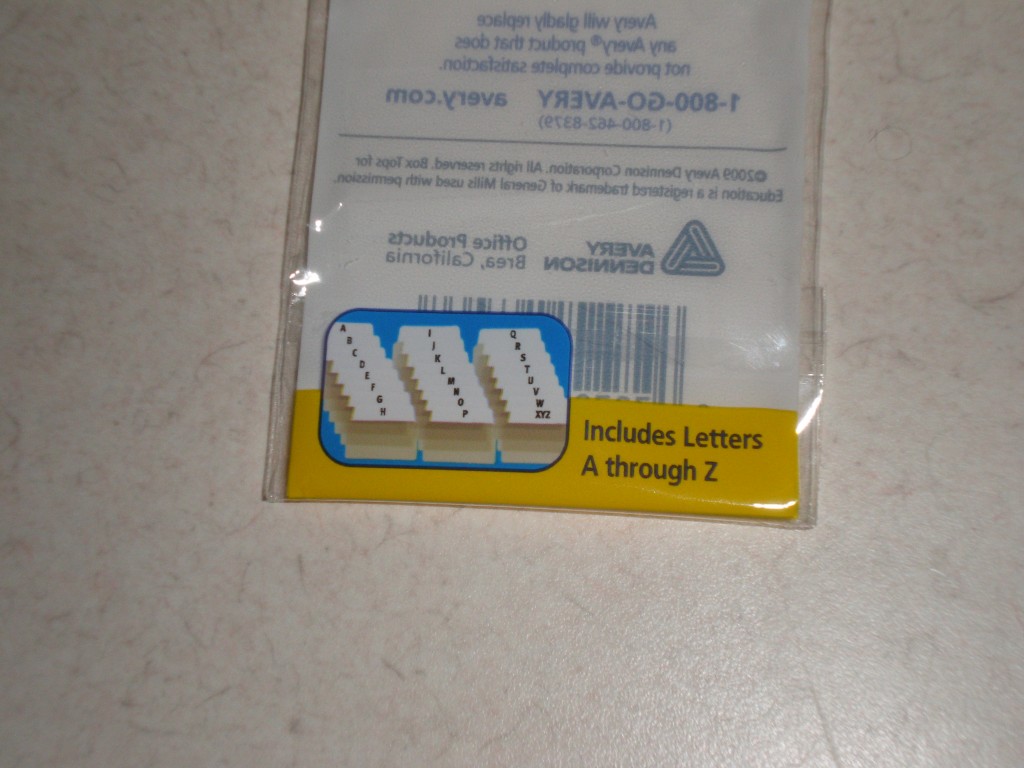
- Alphabet Avery tabs(affiliate) or Avery Margin Ultra Tabs, 2.5" x 1", 2-Side Writable, White, 24 Repositionable Page Tabs (74789), and write the ABC's on them. One letter at a time.
- 100 pack paper DVD Sleeves
- Orange 4x6 index cards
 Sharpie (affiliate) Marker fine tip - optional
The links above are from Amazon (affiliate). If you click through and buy something, I will receive a small commission. Happy Organizing!
First, you need to find the right DVD/CD sleeves. They should all be the same size and get some extra so there are no issues with blocking the ABC letters.
Use Paper DVD sleeves.
So, I decided to gather all the movies together and put them in ABC order by Movie Title. It took about 2 hours to place the DVDs in the paper sleeves and sort them by title.

Make labels for each movie sleeve
Then, it took me about an hour to create the movie titles on labels (affiliate). I made sure they were in the right place and created labels (affiliate) for each paper sleeve. I used the Avery return address labels(affiliate)
 that hold 80 labels (affiliate) per page.
To make this move quickly, I had my daughter read the movie titles to me while I typed them on the label (affiliate). And, we were able to transfer them onto the labels (affiliate) fairly quickly.
Or, you can just write the title of the movie right on the CD/DVD paper sleeve.
Use ABC labels on the extra CD/DVD sleeves
After these return address movie labels (affiliate) were printed, I bought Alphabet Avery tabs(affiliate) and 100 pack paper DVD Sleeves from Staples. They just didn't have one with a pound sign for movies that start with a number, so I had to create it myself with a Sharpie (affiliate) marker.
Or you can use these Avery Margin Ultra Tabs, 2.5" x 1", 2-Side Writable, White, 24 Repositionable Page Tabs (74789) and write the ABC's on them. One letter on each tab. Be sure to make a pound sign for a movie that begins with a number.
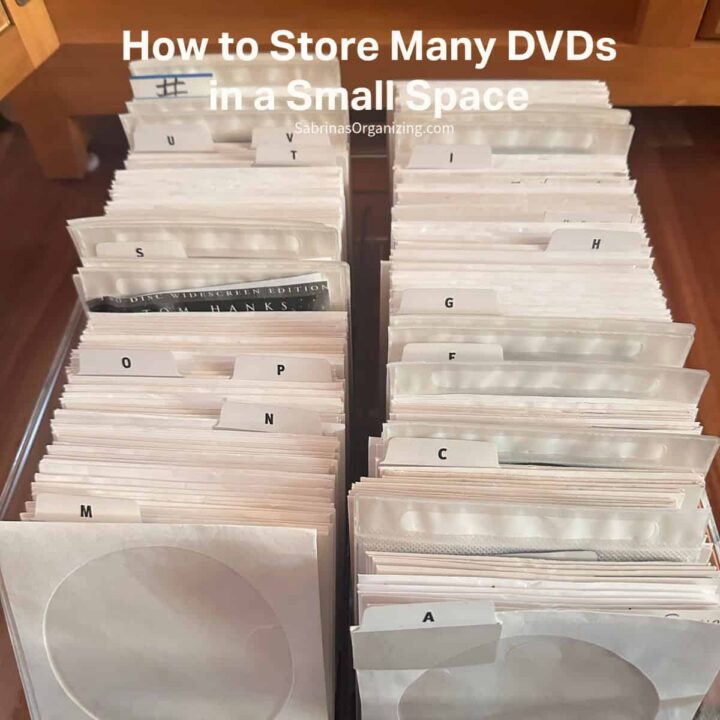
Whichever method you use, be sure to place them between each DVD/CD Movie section that begins with that letter. This will divide the sections easily.
Create a placeholder card.
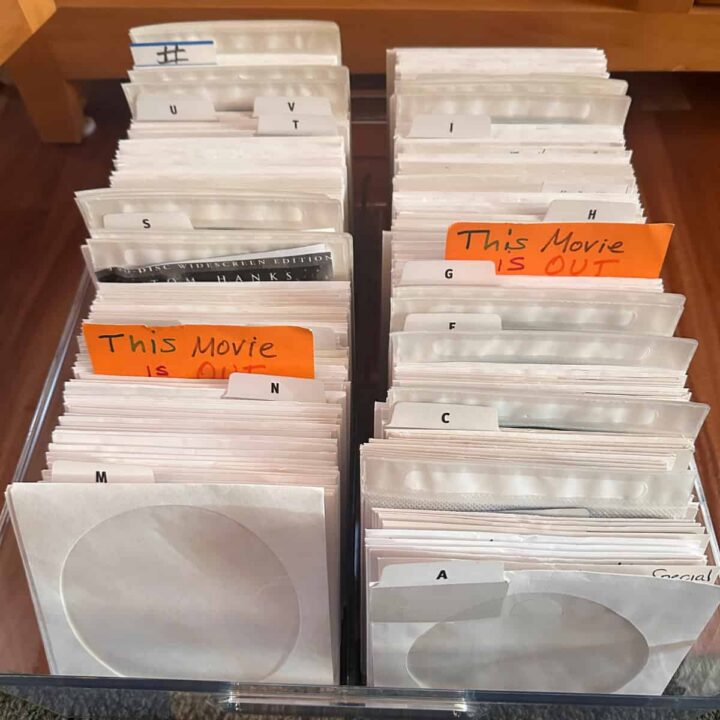
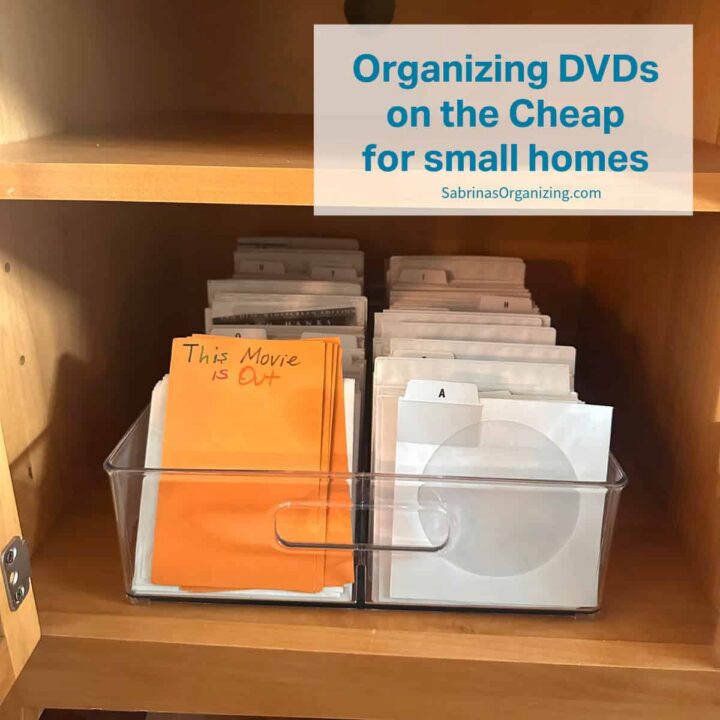
Now, using the Index card, you can make a placeholder. I wrote, "This Movie is Out" at the top of the card. These index cards should not have lines so that everyone can easily know where to place the movies when they are returned.

Since we have a large (affiliate) collection of holiday movies, we added a movie index card labeled "holiday".
The most challenging aspect of this process was finding affordable bins. After visiting three major discount chains, I finally found something at Target that worked for our 275 DVDs.
The result!
And here is the result. So, we knew what movies we had, I decided to copy the list and add it to a family page in OneNote. I then printed it out and placed it near the DVDs, just in case someone wanted to know if we had a movie.
At the time, the total cost = $57.94 =$4.99 Tabs (affiliate) + $6.99 x 2 for bins + 12.99 x 3 +$0.00 for return labels (affiliate) I already had.
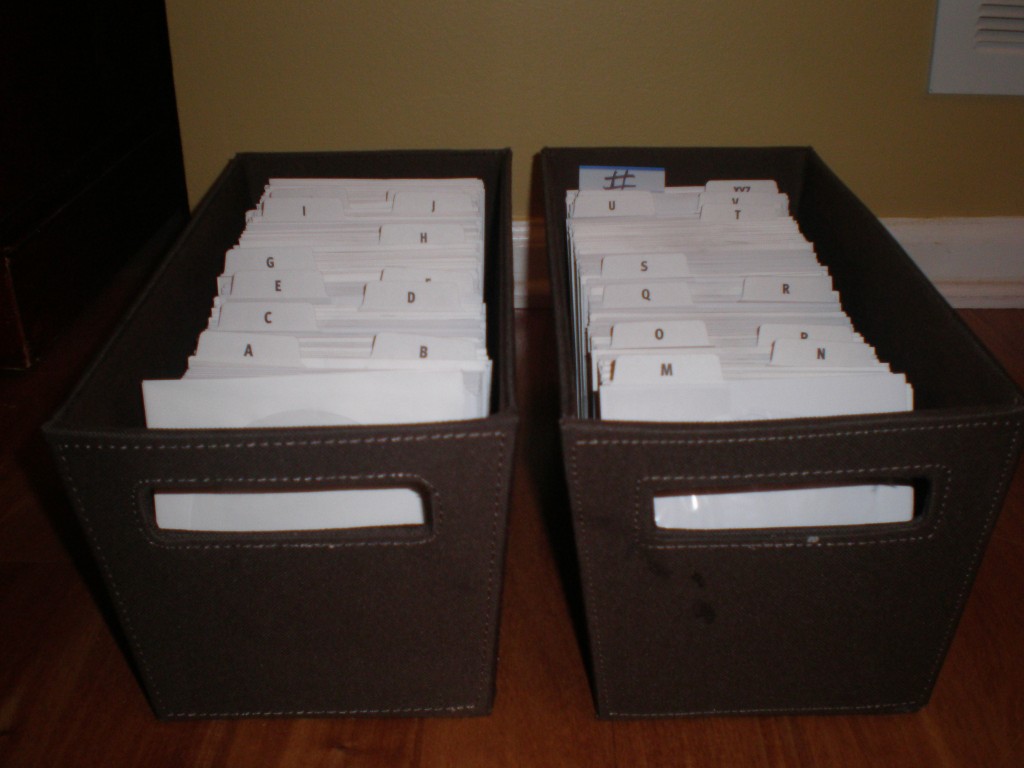
Updated 2026: These fabric bins finally gave out from the weight of the DVDs. So I found a double acrylic pack that was the right width for two rows of DVDs. But below is an acrylic one similar to the fabric bins, which makes it more sturdy.
DVD Acrylic Storage Bins

DVD/CD Storage Box Acrylic Clear DVD Holder Case with Handles 2 pack
Buy Now →(affiliate)
How much did it cost to organize these DVDs in the acrylic bin in 2026?
It costs about $40.00 in today's money for this larger acrylic storage bin for my DVDs.
Updated after image with acrylic bin
We're so happy we found a way to organize our massive DVD collection, and I could even reduce the space it takes up.
All I needed to do was transfer the DVDs in the same order and place them in the new acrylic bin. It took about 15 minutes. That was the easiest reorganizing project I have ever done.

Here is what it looks like when the movies are taken out. See how the place where the DVDs need to be placed pops.
Additional ways to organize DVDs in small spaces.
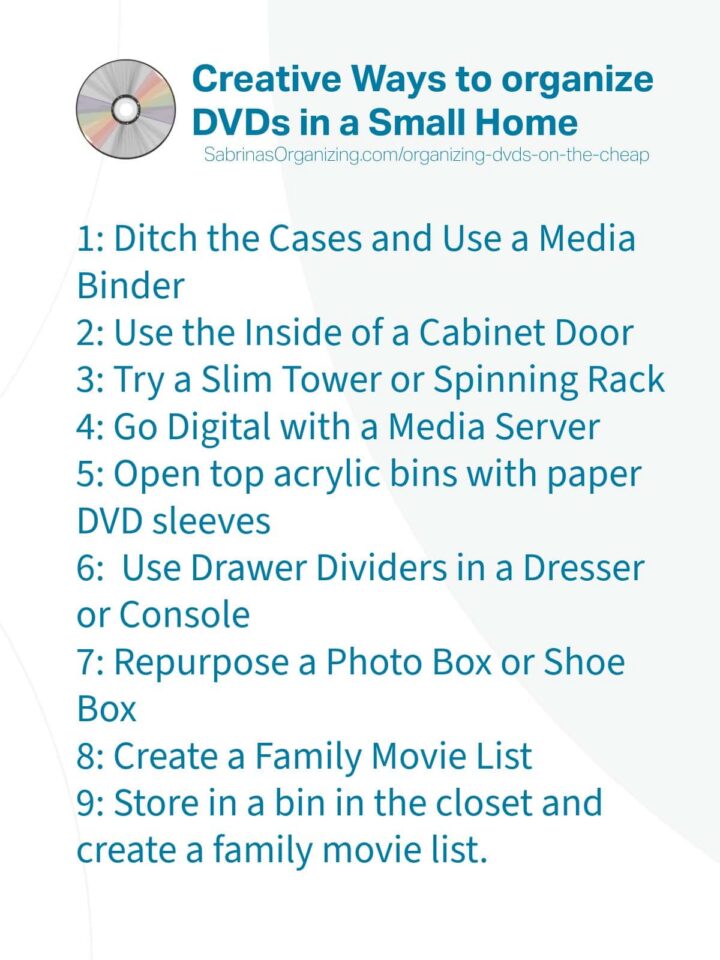
If you're working with limited space and a growing DVD collection, you're not alone. Here are several other creative and budget-friendly ways to organize your DVDs when space is tight.
- Ditch the Cases and Use a Media Binder (affiliate): That is what I did here.
- Use the Inside of a Cabinet Door: have an extra cabinet you are not using, try stacking them up inside the cabinet in ABC order.
- Try a Slim Tower or Spinning Rack: Slim towers are great for storing in narrow places.
- Go Digital with a Media Server: consider ripping your DVDs to a digital media server or external hard drive. Home movie DVDs can be done this way, where others may not allow it.
- Use Drawer Dividers (affiliate) in a Dresser or Console: Be sure the drawers are sturdy enough to handle the weight of the DVDs.
- Repurpose a Photo Box or Shoe Box: Pick the right size so that they can stand up, and you can read the labels on the side of the jewel cases or plastic cases.
- Create a Family Movie List: Movie lists are great; we have one, and it is stored in a spreadsheet organized by ABC order and genre. And, shared with all the family members. Then, store the movies in a bin in the closet so they are tucked away.
FAQ when organizing DVDs in small spaces
Feel free to check out my FAQs below to help you organize your DVDs in small spaces.
The best way to save space is to remove DVDs from their original plastic cases and store them in paper sleeves.
Use clear bins with alphabetical tab dividers to keep everything sorted and easy to browse.
You can fit hundreds of DVDs on a single shelf or in a cabinet this way.
Paper DVD sleeves, alphabet tab dividers, and clear bins or shoe boxes are the most affordable options.
You can purchase all of these items at office supply stores or discount retailers for under $20.
If you already have return address labels at home, you can print movie title labels for free.
That's a personal choice. If you want to save the most space, remove the discs from the cases and recycle or donate the empty cases.
If you prefer keeping the artwork, cut out the cover insert and slip it into the paper sleeve along with the disc.
Some people keep cases only for collectible or special-edition DVDs.
Use a bright-orange placeholder index card system.
Write "This Movie is Out" on a brightly colored index card and slide it into the spot where the borrowed DVD normally lives.
This way, you know which movies are on loan and exactly where to return them when they come back.
Alphabetical organization works best for most families because it makes it easy for everyone to find a specific movie by title.
Organizing by genre can work if your collection is smaller or if you tend to browse by mood. You could also combine both methods by creating genre sections within an alphabetical system.
You have several options for unwanted DVDs. Donate them to your local library, thrift store, or community center.
You can also sell them at a yard sale, through an online marketplace, or to a disc resale shop. Keep in mind that if you want to sell them after you remove the plastic sleeve, it may be more difficult.
If the discs are scratched or damaged beyond use, check your local recycling program to see whether it accepts optical discs.
Yes! Paper sleeves and the alphabetical bin system work great for Blu-ray discs and video game discs as well.
Just make sure you use sleeves that are the right size for each disc type.
You may want to use separate bins or color-coded tabs to distinguish between DVDs, Blu-rays, and games.
Good luck with your DVD organization. Leave a comment below and let me know how you manage your DVDs. I would love to hear from you.
Do You Have Home Movies to Organize Too?
If you're tackling your DVD collection, chances are you might also have a stash of home movies that need some attention. Whether they're on VHS tapes, old camcorder discs, or digital files scattered across devices, organizing your home movies is just as important as organizing your store-bought DVDs.
I've been through the entire home movie conversion process myself - from Super 8 films to digital files -, and I put together a guide with my best tips for sorting, converting, and preserving your family's home movie collection. Check out my post, 7 Easy Home Movie Organizing Tips, for step-by-step guidance on organizing and safely backing up your family's memories.
Feel free to check out our other DIY projects!







Olive Wagar says
I have a similar system that I use for DVDs and CDs. The sleeves I purchased have pockets on both sides, so I cut out the original cover to fit the front pocket and put the DVD or CD in the back pocket. I found fabric bins at Dollar General. So much less space than original cases or binders!
Janet Barclay says
This is a great system! I've tried using binders to organize CDs, recipes, postcards, and possibly other things, and it's always the same - they get full, heavy, and hard to manage. Your system looks great!
Sabrina Quairoli says
It was so easy to set up, and we still use it to this day. I love it when a system can withstand the test of time. Thanks for commenting. =)