Do you know where all your accounts are? Which accounts are open? What do you owe? What do you have? Not everyone does. It's OK; no judgment here. Today, we are going to get your financial clutter organized. We will talk about finance tips I share with clients when we work on their finances. Clearing the financial clutter can be scary but also rewarding. You may find assets you forgot about. Anything is possible. It can also reveal areas where you can save money. If that is worth it to you, follow along and let's get this area of your life organized.
Jump to:
- Key Takeaways
- Take a hard look at your finances
- Look at your credit card transactions.
- How to Organize Digital Receipts in Your Home
- How to Make a Useful Home Management Plan and Binder
- The Easy Way to Make a DIY Home Management Binder for your home
- Use your bank's Bill Pay service.
- Set up autopay through the provider
- Find a system to help you remember when bills are due.
- Start new financial systems at the beginning of the year
- Saving for something: Tips
- No Buy Challenge - Stop spending and start saving
- GENERAL SAVING: Start Small
- Updated tips and hacks for 2026
- FAQ
Key Takeaways
- Assess your finances by listing accounts, debts, and assets; consider using Quicken (affiliate) or a simple spreadsheet.
- Organize bills digitally or on paper, utilizing tools (affiliate) like your bank's Bill Pay service to stay on track.
- Set up bill-payment reminders and automate savings transfers to simplify financial management.
- Review transactions and subscriptions regularly to catch issues and save money.
- Start small with savings; aim for at least six months' worth for emergencies and consider retirement contributions early.
Take a hard look at your finances
First, be realistic with yourself and your partner. It may be scary, but you need to do it. Write down everything you own and all the accounts you have, with the amount that is owed.
I recommend Quicken (affiliate) products if you are computer (affiliate) savvy and have the time to set it up. If not, a piece of paper will do just fine. You can use this sheet too if you want.
You can set up something like the spreadsheet below to track how many bills you pay, how much each one is, and when it is due.

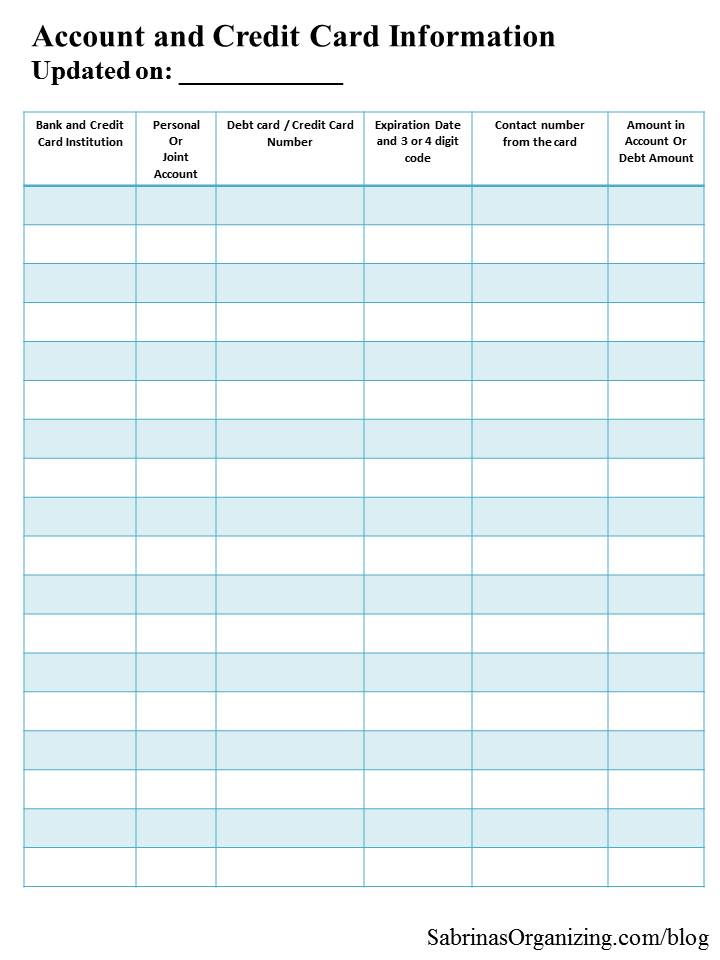
And it is important to have your bank and credit card name, whether it is a joint or personal account, the debit and credit card number, the expiration date and digital code, and the contact number from the card, with the amount of your limit or debt placed on another spreadsheet and placed in a secure place to help protect you from lost or stolen numbers. It should look something like the image below.
Store this with your important documents in a fireproof safe (affiliate) at home. Check out my other post about what important documents you should keep. Also check out my DIY post on how to organize important documents in a safe.
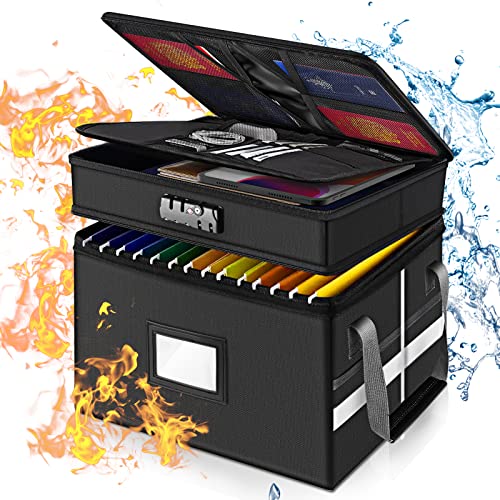
Fireproof Document Box with Lock, File Organizer
Buy Now →(affiliate)
After you determine your bills, the next step is to decide how much you want to put toward your outstanding debt accounts.
Tip: Always pay more than the "minimum". If you can't pay much, at least pay the minimum plus the previous month's interest.
Also, focus on the highest interest accounts first, and then, after you pay them off, work on the next highest interest accounts. That way, it will go down quickly.
Look at your credit card transactions.
Each month, you can easily download your credit card statement and review it. Download it and print it out, or use an editor to write what each transaction was for and whether it needs to be canceled. Keeping it digital will not motivate you to act, so I recommend printing it out and reviewing it with pen and paper in hand. This process may be painful, but it is necessary to see what needs to go and what can stay.
Then make the process easier: Go paperless!
Create a separate email account that is just for bills. Set it up to download emails to your mobile device. Keeping these separate will help you know what exactly is going out and when.
Then, make sure you have a login and a secure password for each bill. Save these passwords in a password manager app like LastPass or 1Password. Since financing is part of protecting yourself, it is a good time to review where you use passwords and which ones you use. Always use at least 15 characters in a password with capital and lowercase letters, numbers, and symbols.
Download your bank and credit card statements and reconcile them all in whatever app you use, like Quicken (affiliate).
Organizing receipts digitally is important, too. This will save you so much time if you need to send papers to your accountant at tax time. Check out my post about digital receipts.
How to Organize Digital Receipts in Your Home
Everything is digital these days, even all the purchases and statements we receive almost every day. Paper store receipts are becoming increasingly difficult to keep track of.
I've used Quicken products for a very long time and feel that the product's completeness allows us to see our business, property, and investments in one place, so we truly know the net worth of all our assets and liabilities.
Products To Help You Manage Your Money:
Quicken Simplifi - Great for personal tracking
Quicken Business & Personal - perfect for mobile users strictly
Classic Quicken for Windows and Mac - Ideal for laptop users and convenient for viewing on the go.


If you are a paper person, do this instead
To keep your paper bills in one place, have a monthly bill organizer binder (affiliate).
Keep a place for monthly or quarterly bills that don't have online access. If you have yearly bills, put them in the due date section or write on a Post-it and stick it to the section of the binder (affiliate).
Check out my free home management book, which includes a section on budgets and financing.

How to Make a Useful Home Management Plan and Binder
We are so excited to share my new FREE ebook, which includes 55 pages on how to make a home management binder!
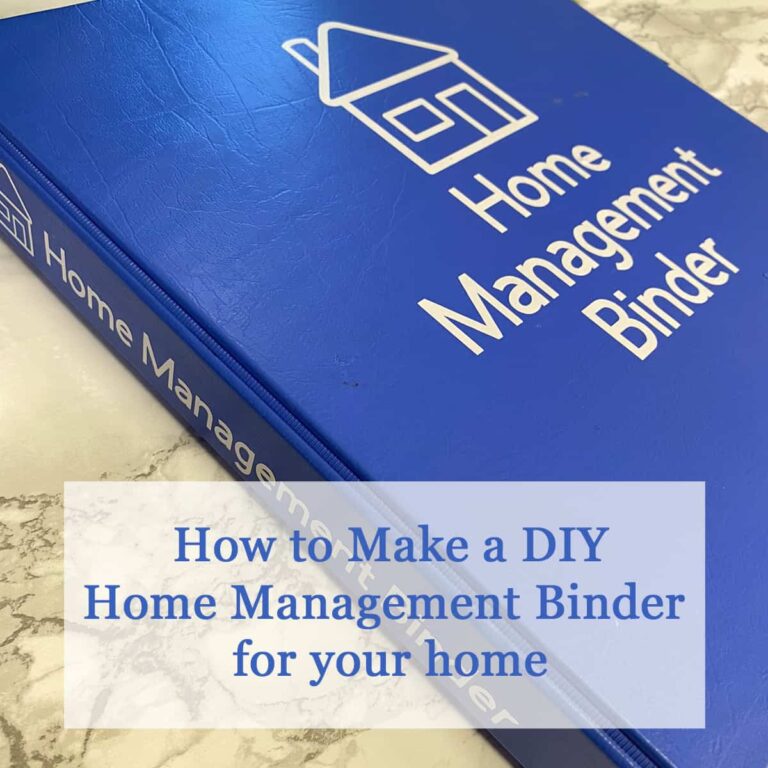
The Easy Way to Make a DIY Home Management Binder for your home
A home management binder keeps all your important information and tasks in one place, helps you stay on top of things, keeps you in control of your life and home, and gives you time to plan for what's coming up. No one likes to be
Use your bank's Bill Pay service.
It's usually free, and you can save all your bills and addresses in the account. You can usually schedule reminder emails to stay on top of your bills.
When you receive the bills, log into Bill Pay and schedule them right away. Use the due date as the date you want to pay the bill.
This is a good way to keep track of the bills you have to pay.
Set up autopay through the provider
Yes, this may feel scary, but you can easily set up autopay for all your recurring bills. Those monthly bills are usually around the same amount each month, which can help you stay on budget and avoid forgetting to pay one.
One caveat: be careful using autopay with your credit cards. To keep your credit under control, pay your credit card in full each month. You can also set up autopay to pay it in full each month. I did this with a client, and it worked well for them. They knew how much they would normally spend and made sure they had extra funds in the bank account so that, when the bill was due and autopay kicked in, the money was available.
Now, this doesn't mean you have to stop checking your statements and notices. Keep checking your email and make sure each amount matches what you have been spending. No one wants to be overcharged just because they didn't look at their bill.
Find a system to help you remember when bills are due.
Remembering when money will be pulled from your bank account is key (affiliate) to avoiding insufficient funds fees. So do this.
After you save recurring bills in Bill Pay, set up reminders to email you when you're ready to pay.
Use Quicken (affiliate) or other bill management software to manage and set reminders for all bills due, as well as your investments. Most download transactions automatically, so you just need to review and verify they are correct.
Start new financial systems at the beginning of the year
It's best to start new processes at the beginning of the year so you do not have to backtrack and update all the prior months for that year. Starting the year with a new way to track systems works well.
If you need to start at any point in the year, remember to take the time to add all transactions back to January 1st of that year. This will seem tedious, but you will be so happy you did it come tax time.
Saving for something: Tips
Whether it is for a new car, a new house, or something else, this process will work the same for all of them.
Research the cost of that item. Your number needs to be realistic. Add about 10% to that amount.
Next, decide when to buy it. This could be half a year, a year, 2 years, or 5 years.
Now divide the cost of the item you want to buy by the total months to see how much you would have to save each month.
If you get paid twice a month, you can divide it again to save by paycheck. Then, save that amount each month till you have the funds to buy it.
If you can't do the entire amount each month, be flexible but consistent. Never stop saving. If you need to put away $300 per month but can only put away $100 in a few months, that's OK; try to ramp it up in other months when you may have more money coming in.
Check out my Stop Spending Challenge below for guided support.
No Buy Challenge - Stop spending and start saving
A new challenge is one many people plan to take on this year. It is called the No Buy Challenge. This post explains the challenge and why you may want to do it. Here are some tips for doing your No Buy challenge.
GENERAL SAVING: Start Small
Start out small with general savings. I recommend $50.00 or $100.00 a month. That only comes down to $1.70 per day for 30 days or $3.34 per day for 30 days.
Remember: This money isn't meant to be spent. It is your savings for a rainy day down the road, like 4 years down the road or more. You should have at least 6 months' savings for emergencies. So, don't spend it. Pretend it isn't there.
RETIREMENT SAVINGS:
Roll over your 401K into one account instead of having several 401K accounts. This way, you can manage them all from one account.
Try to contribute enough to get your employer match.
If you live at home, max out your contribution. It is better to save more when you live with your parents and let that money grow during times when you can not contribute as much.
Updated tips and hacks for 2026
A few things I now recommend to clients that weren't on my radar when I first wrote this post:
Try an all-in-one budgeting app.
Apps like Monarch Money, Rocket Money, or YNAB (You Need A Budget) now link directly to your bank and credit card accounts, automatically categorize spending, and flag forgotten subscriptions. They're a nice middle ground between a full Quicken (affiliate) setup and a plain spreadsheet.
Run a subscription audit twice a year.
With so many streaming, app, and membership subscriptions on autopay, it's easy to lose track. Set a reminder every 6 months to review your statements and cancel anything you're not using. This is a quick win most people can use to save money right away.
Use a passkey or authenticator app instead of just a password where you can.
Many banks and credit card companies now support passkeys or app-based two-factor authentication (like Google Authenticator or Authy), which are more secure than a password alone.
Freeze your credit if you're not actively applying for anything.
A free credit freeze with all three bureaus (Experian, Equifax, and TransUnion) helps protect you from new accounts being opened in your name - you can lift it temporarily whenever you need it.
Set up account alerts.
Most banks and credit cards let you turn on text or push alerts for large (affiliate) purchases, low balances, or unusual activity. This is a free, passive way to catch problems before they become a headache. They can email you after every transaction so you can watch for fraudulent charges.
Digitize your paper documents with a scanning app.
If you're a paper binder (affiliate) person, apps like Tiny Scanner (affiliate) or your phone's built-in document scanner (affiliate) let you back up important statements and receipts digitally without giving up your physical (affiliate) system.
Automate your savings transfers, not just your bills.
Setting up a small automatic transfer to savings on payday takes the "remembering to save" step completely out of your hands, the same way autopay does for bills.
Review beneficiaries once a year.
While you're doing your annual financial check-in, take a minute to confirm beneficiaries are current on retirement accounts, life insurance, and any payable-on-death bank accounts.
FAQ
Start by pulling a free credit report from annualcreditreport.com, which lists most open credit accounts in your name. Then gather recent bank and investment statements, either from paper mail or by logging into each provider's website, and write everything down in one place, even if it feels incomplete at first.
Both, in small amounts, if you can. Keep contributing something to a starter emergency fund (even $25-$50 a month) while you pay more than the minimum toward your highest-interest debt. Once you pay off that debt, redirect that payment amount toward savings or the next highest-interest account.
Only if that spreadsheet is protected; store it in an encrypted password manager, a locked file, or a printed copy kept in a fireproof safe, not in an unprotected file on your desktop or in your email. The goal is to have the information organized and accessible to you, but not easily accessible to anyone else.
Do a full review monthly when you reconcile your statements, and a deeper subscription and account audit twice a year. This catches both everyday overcharges and the forgotten subscriptions that quietly add up over time.
Yes, for consistent bills like a mortgage, utilities, or a loan payment, autopay helps you avoid late fees and keeps your budget predictable. Keep checking your statements and email alerts so you catch errors, and be cautious about autopaying a credit card unless you're confident you have the funds to pay it in full.
Quicken and similar paid software tend to offer more robust investment tracking, reporting, and long-term financial planning tools, which is great if you want a full picture of your net worth.
Free or lower-cost apps like Rocket Money or YNAB are often quicker to set up and focus more on day-to-day budgeting and subscription tracking. Many people use one for the big picture and one for daily spending.
By removing the clutter from your finances, you can help yourself and your family feel more in control of your life. I hope this inspires you to get your finances in order and make them manageable. If you need help, contact a professional.
Need help organizing your finances virtually? Check out my virtual, task-based organizing sessions.
Visit our other money management tips below!