
Whether it is hurricane warnings, power outages, or a sewer line leak, all these emergencies may take us by surprise, leaving us wondering what to do next. We have tasks we need to do after they happen, but we may forget them if we haven't done them in a while. This post will share how to make an emergency what-if scenario list to help you get to the tasks right away and out of shock mode. Follow along and make yours today, and don't miss my new 2026 tips at the end of the post.
Jump to:
- Key Takeaways
- My personal experience
- What is an emergency what-if scenario list?
- Why do I need to make an emergency what-if scenarios list?
- What emergency scenarios should you have predetermined steps established?
- Where should I store the emergency scenarios what-if list?
- Additional tips when making your list:
- Updated Tips and Hacks for 2026
- What to Include in Each Scenario
- faqs
Key Takeaways
- An emergency what-if scenario list helps you respond effectively to home emergencies by outlining step-by-step actions.
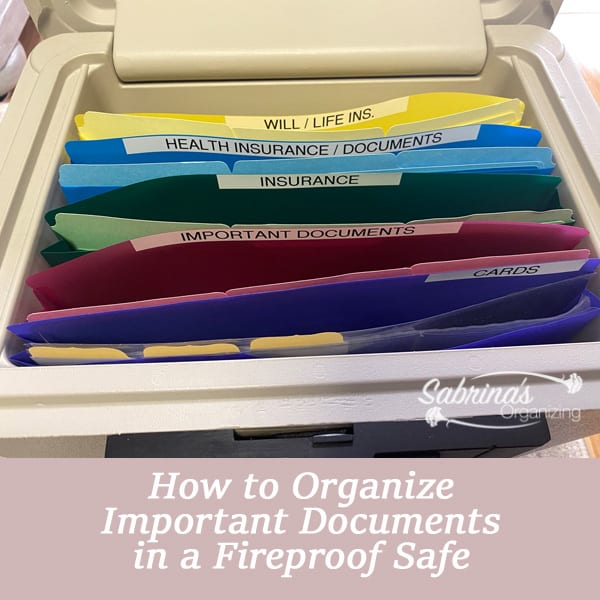
- Create and store your list digitally so all adults can access it, and keep a printed copy in a fireproof safe (affiliate).
- Update your what-if scenario list annually, especially after emergencies, to reflect what worked or needs modification.
- Include essential details like initial steps, contact numbers, supplies locations, and document requirements for each scenario.
- Utilize additional tips such as emergency alerts, offline copies, and practice drills to enhance your preparedness.
Quick answer: What is an emergency what-if scenario list?
An emergency what-if scenario list is a written, step-by-step plan for the things that could go wrong at home, such as a power outage, a water leak, or a storm. For each scenario, you list what to do first, who to call, where your supplies and warranties are, and who in your family is responsible. Keep it digitally where every adult can reach it, plus a printed copy in your fireproof safe (affiliate), and review it once a year.
My personal experience
Emergencies always make me feel lost and worried about what to do next. So, to help with my anxiety about this, in recent years, I decided to create a what-if scenario list to help gather all the information about my home, the warranties that we have, and what other things are purchased just for emergencies and where they are located. All these things are stored throughout the home and could easily be forgotten. So, to remind my family and me what to do and where these items are, I created this what-if scenario list digitally to feel more in control.
What is an emergency what-if scenario list?
An emergency what-if scenario list involves creating the scenarios on a digital file and steps that spell out what you need to do next. Listing each task step by step reminds you what needs to be completed.
Why do I need to make an emergency what-if scenarios list?
There are many benefits to doing the emergency what-if scenarios list. Below are just some reasons.
- Reduce Stress - having a list of tasks will reduce the stress you may be experiencing.
- Delegate the to-do tasks - If you have adult children who live with you, you can pass on the step-by-step tasks for emergencies so they can easily read the instructions and take action when you are not home.
- Peace of mind - you will appreciate knowing what systems you have in place to protect your home's items.
- You will be able to see pitfalls and areas that need revisiting more easily. When you start to write down the steps, you may find some scenarios you may need to modify because you missed a step.
Your what-if scenarios list gives you a big picture of the emergencies you may face. Keeping them written down and known to everyone allows for quick pivoting if needed when something happens.
The entire package to help you with hackers, viruses, malware, and ransomware provides up to $1M in potential coverage and so much more! *Note: rate is $47% off the first year! $189.99 / year. Protection for 10 PCs, Macs, Tablets, or Smartphones.


What emergency scenarios should you have predetermined steps established?
These emergency scenarios should be customizable to your home and even business. I will give you some scenarios you can use, but you may have experienced others as well.
- Flooding in the basement or water through the walls in the basement
- Power outage - battery backup systems in place
- Siding falling off from a storm
- Water leak under a sink
- Sewer line backups into the house
- Roof leaking
- Hurricane emergency
- Nuclear Power Plant meltdown
- A Tree falls down
- A death of a loved one
- Toilet leak
- Flat tire
- The main water line leak
- In case of a fire
Where should I store the emergency scenarios what-if list?
Having this list digitally and shared by all adults works nicely. But it can also be printed and placed in a safe (affiliate) where other important documents are located.
Additional tips when making your list:
Below are some additional tips to remember.
- Review this what-if list after emergencies happen. Modifying your steps is essential since we do not know if they will work until we implement them.
- You may also have questions to add to your what-if list. We may not think of all the scenarios that may happen. Revisiting this list once a year and reviewing each scenario will remind you of the steps you need to take and if any need to be modified.
Updated Tips and Hacks for 2026
When I first wrote this post, I was mostly thinking about the list itself. Since then, I've made a few upgrades to my own list and to the ones I build with clients. Here's what I recommend now.
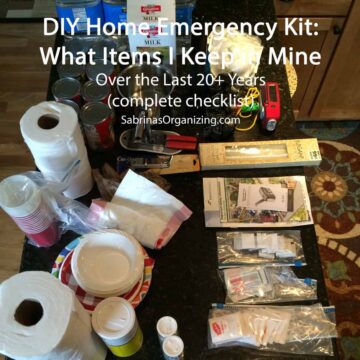
- Keep an offline copy, not just a digital one. If the power is out and the Wi-Fi is down, a cloud file won't help you. Save the list to your phone so it opens without a signal, and keep a printed copy in your safe (affiliate) or your emergency kit. On an iPhone, you can use the Files app and choose "Keep Downloaded," or just save a PDF.
- Turn on your phone's emergency alerts. Wireless Emergency Alerts (like severe weather, evacuation, and AMBER alerts) are built into your phone. Check your notification settings to make sure they're on, and add your local county or city alert system, which usually offers free text or email alerts.
- Fill out your phone's Medical ID and emergency contacts. On an iPhone, this is in the Health app. On Android, it's under Safety & emergency. First responders can see it from your lock screen. Tell your family that it's there.
- Share the list with a trusted person outside your home. Send a copy to a family member or friend in another town. If your home is the emergency, they can still help you get to the next step.
- Use a password manager's emergency access feature. Most password managers, like 1Password, LastPass, and Bitwarden, let you name a trusted contact who can get into your vault in an emergency. That's a big help for a spouse, an adult child, or a caregiver who needs your account information.
- Add smart water leak sensors. Small, inexpensive sensors near the water heater, washing machine, dishwasher, sinks, and sump pump can send an alert to your phone. Many of the leak scenarios on your list get much easier to handle when you catch them early. Add "where the sensors are" to those scenarios.
- Label (affiliate) your shutoffs and take a picture. Snap a photo of the main water shutoff, the electrical panel, and the gas shutoff (if you have one), and label (affiliate) each. Add the photos right into your list so no one has to guess in the dark.
- Do a quick home inventory video. Walk through your home with your phone and record every room, opening closets and drawers as you go. Save it in the cloud and add a note on your list telling everyone where it is. It makes insurance claims much easier.
- Check what your homeowner's insurance really covers. Standard homeowners policies typically don't cover flood damage, and sewer or drain backup often needs an add-on. Call your agent once a year, and put the policy number and claims phone number right in your list.
- Plan for backup power. If a power outage is on your list, note what you have (a portable (affiliate) power station, battery packs, flashlights, a generator) and where it is. If you use a generator, write down the safety steps: only run it outdoors, well away from windows, doors, and vents, because of carbon monoxide.
- Include your pets and anyone who needs extra help. Add pet food, medications, carriers, vet contact info, and any needs for older family members or anyone with mobility or medical needs.
- Run a 15-minute "practice drill (affiliate)" once a year. Pick one scenario, read the steps out loud with your family, and see what's missing. That's the best way to find the gaps before a real emergency does.
What to Include in Each Scenario
To keep your list simple, use the same layout for every scenario. Here's the format I use:
The scenario: for example, "Water leak under the kitchen sink."
First steps: what to do in the first five minutes (for example, shut off the water valve under the sink).
Who to call: a plumber, your insurance company, your utility company, and a family contact, with phone numbers.
Where to find things: shutoff valves, tools (affiliate), towels, warranties, and supplies.
Documents to gather: policy numbers, warranty info, and receipts.
After it's handled: take photos, save receipts, and note what worked and what didn't.
Bonus scenarios for 2026:
If you want to go beyond the original list, consider adding these:
- Internet or Wi-Fi outage while working from home
- Water heater failure
- Carbon monoxide or smoke alarm going off
- Frozen or burst pipes in winter
- Lost or stolen phone, wallet (affiliate), or keys
- Identity theft or a hacked account
- Extreme heat or a heat wave with no air conditioning
- Evacuation with a "go bag" ready at the door
faqs
It's a written plan that spells out what to do for specific home emergencies, like a power outage or a water leak. Each scenario has step-by-step tasks, phone numbers, and the locations of supplies, so you and your family can act quickly instead of freezing up.
Start with the five to ten most likely emergencies for your area and your home. For example, if you live where there are hurricanes or winter storms, start there. You can always add more later.
Keep a digital copy where all adults in the home can get to it, and save one to your phone so it works without Wi-Fi. Then keep a printed copy in your fireproof safe with your other important documents.
Include the first steps, who to call, where shutoffs and supplies are, which documents you need (such as insurance policy numbers and warranties), and what to do afterward. Adding photos of your shutoff valves and electrical panel makes the list even easier to follow.
Review it once a year, and again right after any emergency or any big change to your home, like a new appliance, a renovation, or a move. Updating right after an emergency is the best time, because you'll remember what worked and what didn't.
Yes! Most of the list is the same. Just add your landlord or property manager's emergency number, your renter's insurance information, and a note on which repairs you're responsible for and which your landlord handles.
I hope this post inspires you to create your own emergency what-if scenario list for peace of mind. Please leave a comment or question below if you have one or are thinking of making one.
Want help getting your home management and emergency information organized? Check out my virtual, task-based organizing sessions.
Visit my other emergency preparedness posts to learn more!






Janet Barclay says
I had a client with a Business Continuity Plan that listed absolutely everything about her business, including who would look after what in the event she became ill or passed away. It was brilliant, and this reminds me of it, but for the household rather than a business. Great idea!
Sabrina Quairoli says
I love that! I know the topic is morbid, and some people just don't want to think about it. But really. The freedom you have when things are in order is amazing. Thanks for stopping by and commenting, Janet. I really appreciate it.